14
4 Listen to radio
Tune to a radio station
1
Press SOURCE repeatedly to select
Tuner.
2 Press or to select band: [FM1],
[FM2], [FM3], [AM1], or [AM2] .
3 Press or to tune to a radio station
manually.
The radio station is broadcast.»
To search for a radio station
automatically, press
or for 3
seconds.
Select tuner sensitivity
You can adjust the tuner sensitivity if you want
to receive more radio stations or only stations
with strong signal.
1 Press MENU/DISP for over 2 seconds.
2 Press or repeatedly until [LOCAL]
or [DX] is displayed.
3 Rotate to select a setting:
[ LOCAL] (local): Only stations with
strong signal can be broadcast.
[ DX] (distance): Stations with strong
and weak signals can be broadcast.
Select stereo/mono broadcasting
For stations with weak signals: to improve the
reception, change to monoaural sound.
1 Press MENU/DISP for 3 seconds.
2 Press or repeatedly until [STEREO]
or [MONO] is displayed.
3 Turn to select a setting:
[STEREO]: stereo broadcast.
[MONO]: mono broadcast.
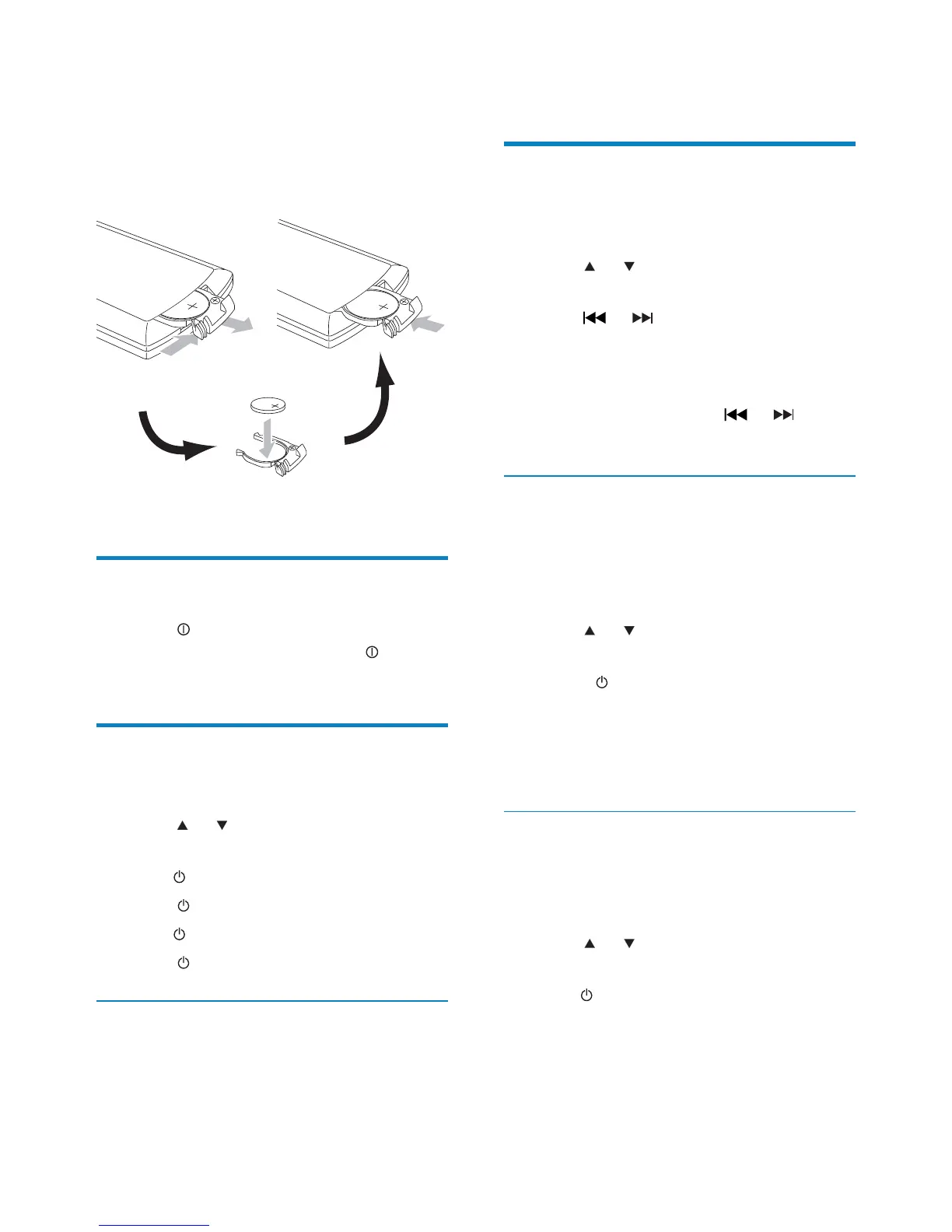
To replace the remote control battery:
1 Open the battery compartment.
2 Insert 1 CR2025 batteries with correct
polarity (+/-) as indicated.
3 Close the battery compartment.
Turn on
1
Press to turn on the unit.
To turn off the unit, press
for 3
seconds.
Set clock
1
Press MENU/DISP for 3 seconds.
2 Press or repeatedly until the
currently time is displayed.
3 Turn clockwise to set hour.
4 Press WRFRQÀUP
5 Turn anti-clockwise to set minute.
6 Press WRFRQÀUP
View clock
1 Press MENU/DISP repeatedly until the
clock is displayed.
EN



 To Next Page