19
8 Additional
information
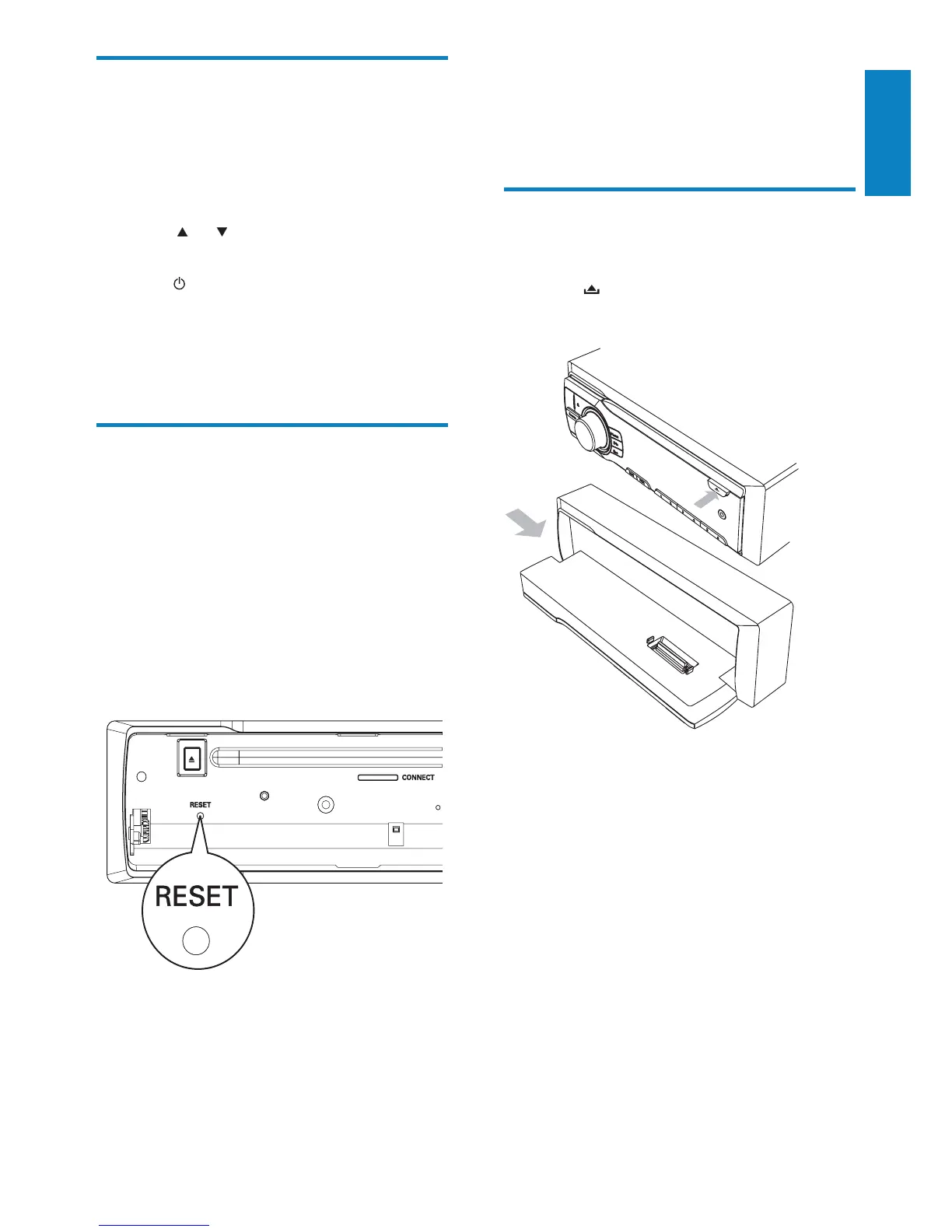
Detach the front panel
You can detach the front panel to deter theft.
1 Press to release the panel.
2 Press the left side of the panel rightward.
3 Pull the panel towards you to detach it
from the chassis.
4 Store the panel in the supplied carry case
to protect it from dirt or damage.
Select shock-protect setting
You can select the shock protection setting,
depending on the stability of your car and the
condition of the road.
1 Press MENU/DISP for 3 seconds.
2 Press or repeatedly until [ESP] is
displayed.
3 Turn to select a setting:
[ESP 10 S]: select this when the road
is smooth and there are few bumps.
[ESP 40 S]: select this when the road
is bumpy and unstable.
Reset
You can reset the unit to its default setting.
1 Detach the front panel (see ‘Detach the
front panel’ on page 19).
2 Press the reset button by using a ball-
point pen or a similar tool.
Preset adjustments such as preset »
channels and sound adjustments are
erased.
English
EN



 To Next Page