13
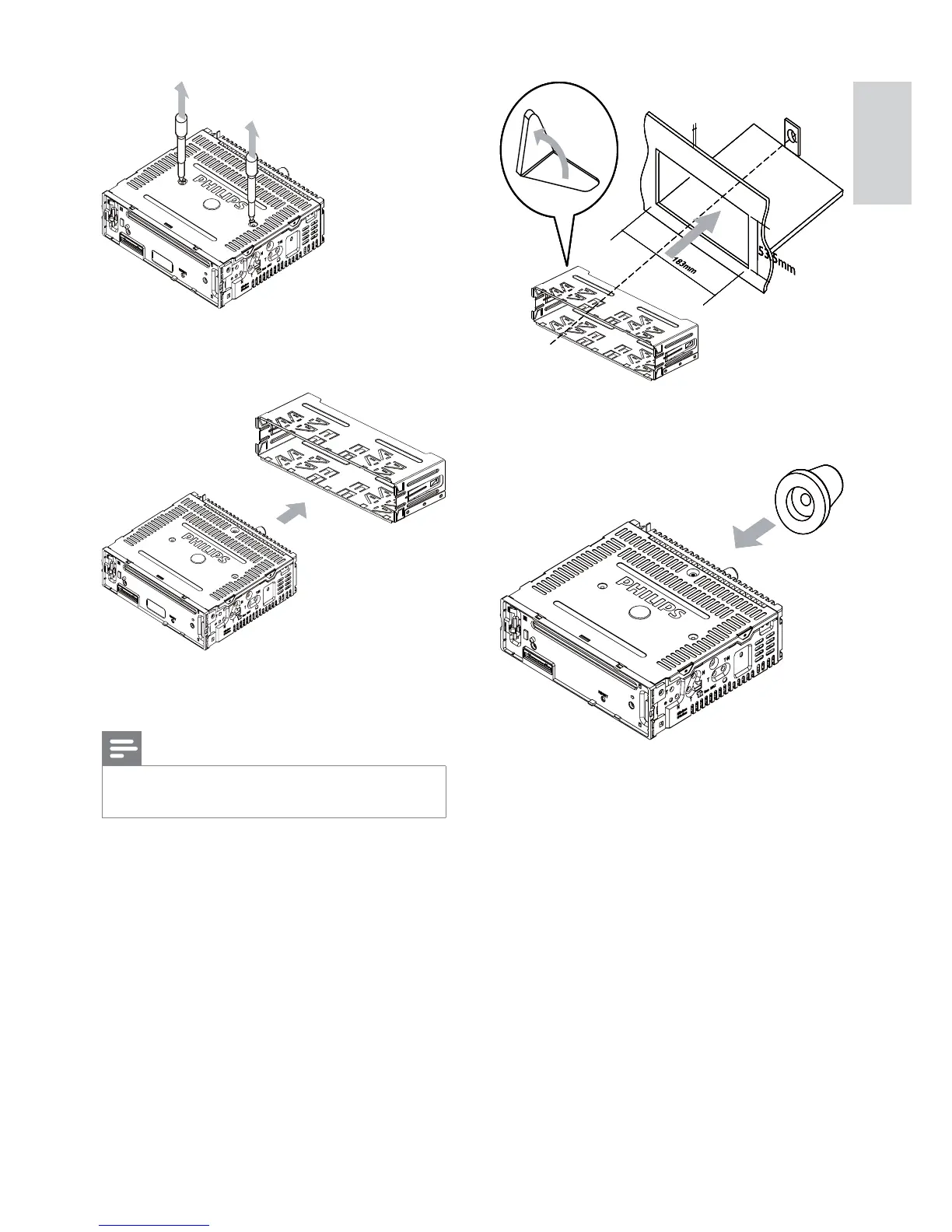
6 Place the supplied rubber cushion over
the end of the mounting bolt.
7 Slide the unit into the dashboard until you
hear a click sound.
5mm5mm5mm5mm
4 Remove the mounting sleeve with the
supplied disassembly tools.
5 Install the sleeve into the dashboard and
bend the tabs outward to fix the sleeve.
Note
If the unit is not fixed by sleeve but by the •
supplied screws, skip this step.
English
EN



 To Next Page