Home
Philips
Car Stereo System
CEM2000/00
Page 22 (Reset)
Philips CEM2000/00 - Reset
26 pages
Manual
Save Page as PDF
To Next Page
To Next Page
To Previous Page
To Previous Page
Loading...
23
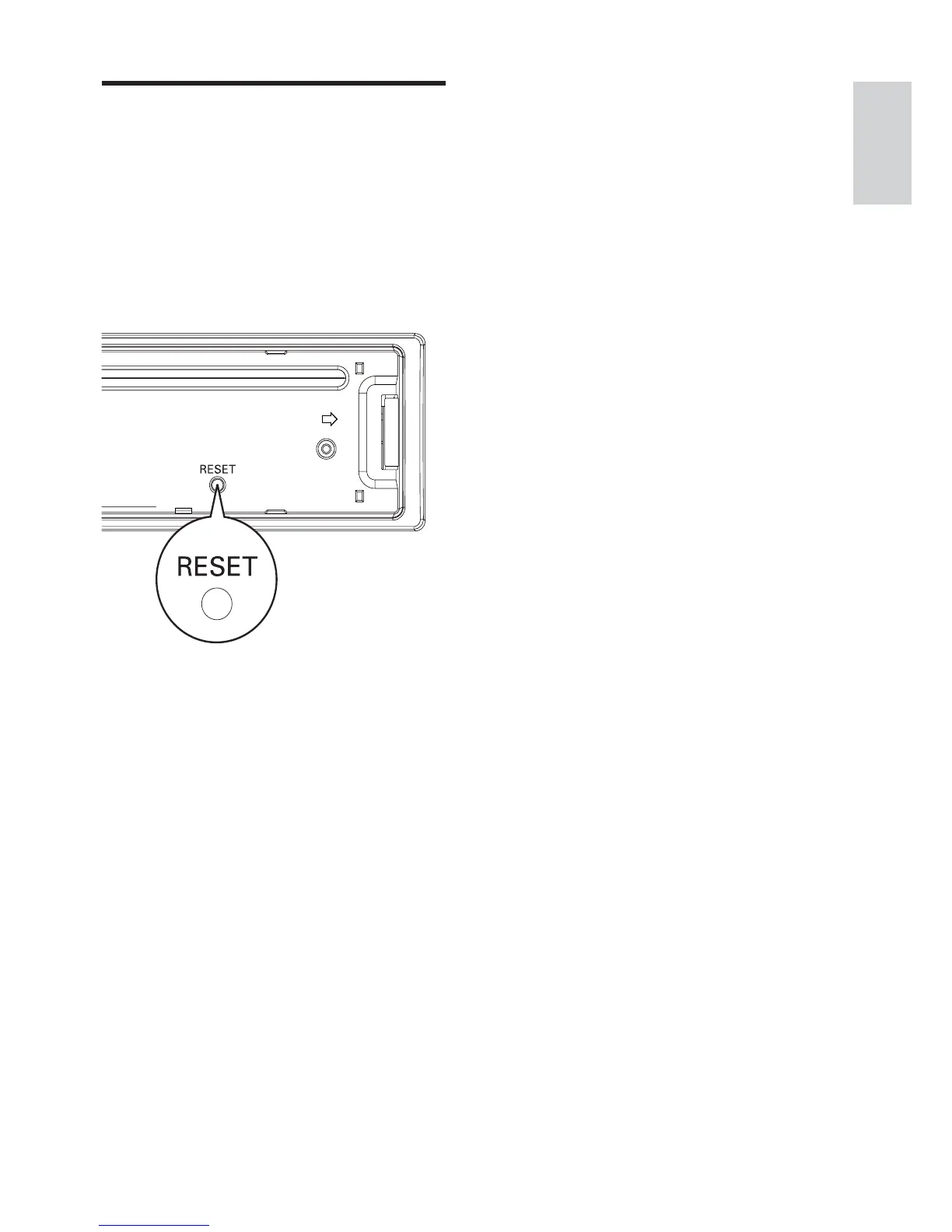
Reset
Y
ou can reset the unit to its default setting.
1
De
t
ach t
h
e f
r
on
t pa
n
e
l
.
2
Pr
ess t
h
e r
e
s
et b
u
t
t
on by u
s
in
g a ba
ll
-
po
in
t p
e
n or a s
i
mi
la
r t
oo
l
.
Preset adjustments such as preset
»
channels and sound adjustments are
er
ased.
English
EN
21
23
Table of Contents
Main Page
Default Chapter
2
Table of Contents
2
1 Important
3
Safety
3
Notice
3
2 Your Car Audio System
5
Introduction
5
What's in the Box
5
Overview of the Main Unit
6
Overview of the Remote Control
7
3 Get Started
9
Install the Car Audio
9
Mount into the Dashboard
11
Install Remote Control Battery
13
Turn on
13
Set Clock
14
4 Listen to Radio
15
Tune to a Radio Station
15
Store Radio Stations in Memory
15
Store Stations Manually
15
Tune to a Preset Station
15
5 Play with RDS
16
Turn on RDS
16
Select Program Type
16
Select Alternate Frequencies
16
Receive TraffiC Announcement
17
Set RDS Clock
17
6 Play Audio Files
18
Play a Disc
18
Play from USB
18
Search for an MP3/WMA Track
19
View Play Information
19
Repeat Play
19
Shuffle Play
19
Intro Play
19
Connect External Sound Source
19
7 Adjust Sound
20
Adjust Volume
20
Mute
20
Turn DBB and Subwoofer On/Off
20
Select Preset Equalizer
20
Other Sound Settings
20
8 Adjust System Settings
21
Select Anti-Shock Setting
21
Turn Beep Sound On/Off
21
Select Blackout Setting
21
Turn Demo Mode On/Off
21
Reset
22
9 Additional Information
23
Detach the Front Panel
23
Replace Fuse
23
Remove the Unit
23
10 Product Information
24
11 Troubleshooting
25
Related product manuals
Philips CEM200/55
26 pages
Philips CEM210/56
23 pages
Philips CEM210/98
28 pages
Philips CEM250/51
33 pages
Philips CEM1000
8 pages
Philips CE131
22 pages
Philips CE153DR
31 pages
Philips CED750/51
42 pages
Philips CID3693
3 pages
Philips CID3291
3 pages
Philips CID3290
3 pages
Philips CID2680/93
39 pages



 To Next Page