EN 11
English
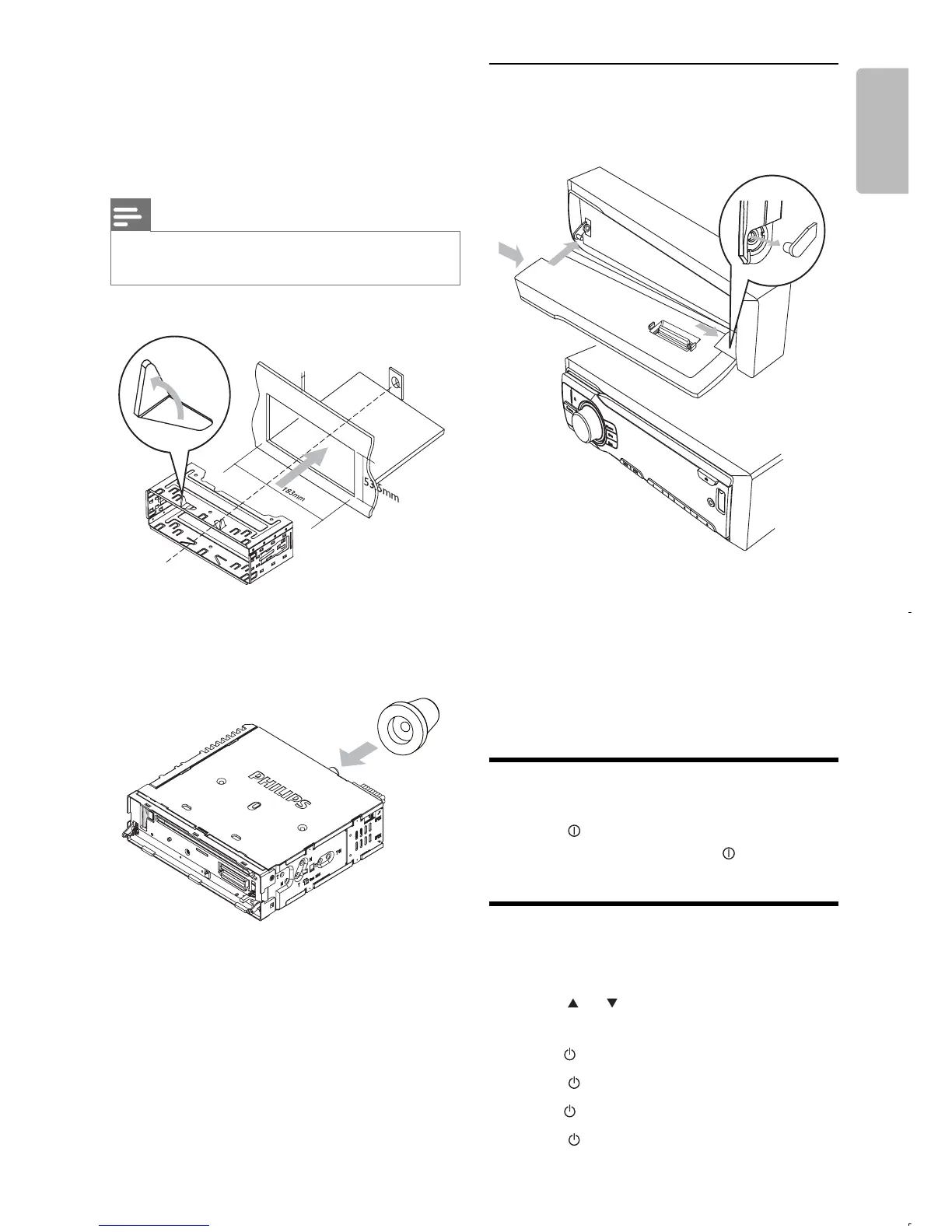
5 Install the sleeve into the dashboard and
bend the tabs outward to fi x the sleeve.
Note
Skip this step if the unit is not fi xed by sleeve but by •
supplied screws.
6 Place the supplied rubber cushion over the
end of the mounting bolt.
7 Slide the unit into the dashboard until you
hear a click sound.
8 Reconnect the negative terminal of the car
battery.
5mm
Attach the front panel
1 Attach the trim plate.
2 Insert the right side of the panel in the
chassis until it is correctly engaged.
3 Press the left side of the panel and point
the left hole at the left pillar.
4 Release the panel to engage the left side.
Turn on
1
Press to turn on the unit.
To turn off the unit, press •
for 3 seconds.
Set clock
1
Press MENU/DISP for 3 seconds.
2 Press or repeatedly to until the
currently time is displayed.
3 Tur n clockwise to set hour.
4 Press to confi rm.
5 Tur n anti-clockwise to set minute.
6 Press to confi rm.



 To Next Page