EN 5
English
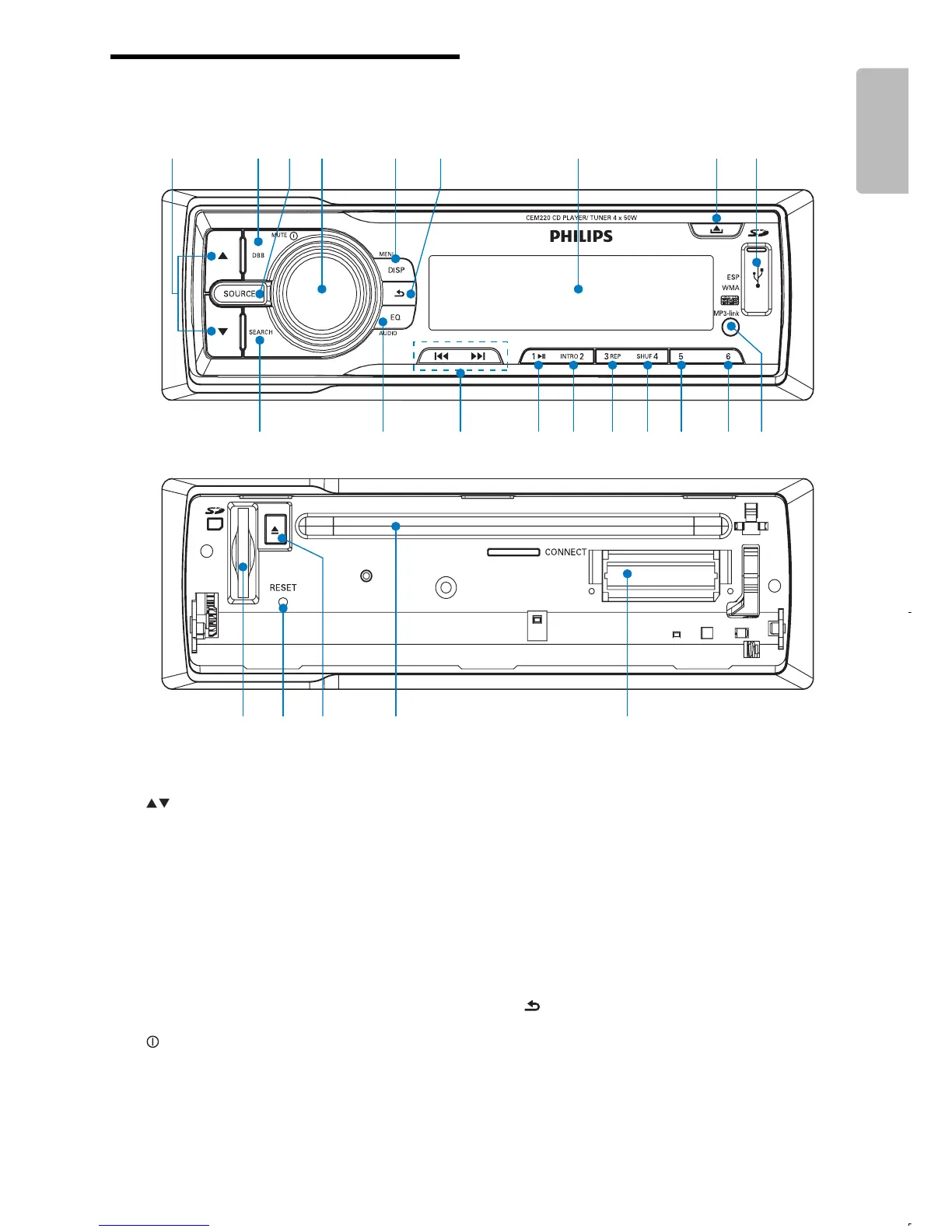
Overview of the main unit
a
Select tuner band. •
Select MP3/WMA folder.•
Scroll up or down menu.•
b DBB
Turn on or off Dynamic Bass Boost •
(DBB) sound.
c SOURCE
Select audio source.•
d
/MUTE
Turn the unit on or off.•
Adjust volume.•
Confi rm selection.•
a
b
d
g
h
i
e
c
f
s
x
w
u
t
v
r q po nml kj
Enter characters for search.•
Mute or restore volume.•
e MENU / DISP
Display radio frequency, clock and •
radio program type (if available).
Display track, elapsed time, artist, •
album, title, folder, fi le and clock.
Access system menu.•
f
Return to previous menu.•
Stop search.•
Disable screen blackout.•
g Display panel



 To Next Page