12
English
Clean mode
Clean is a 2-minute mode. It gives you a
thorough and complete clean and is
recommended to be used with the Deep Clean
brush head.
White mode
White is a 2-minute 30-seconds mode,
recommended to be used with the Whitening
brush head.
Intensities
Your power toothbrush gives you the option to
choose between low and high intensity.
Note: When you use the toothbrush for the
first time, the default setting is the low
intensity.
The intensity can be changed by pressing the
mode/intensity button while brushing. The
intensity cannot be changed as long as the
handle is powered off or paused.
Battery status and charging
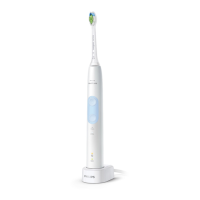
Charging
1 Put the plug of the charger in an electrical
outlet.
2 Place the handle on the charger.
-
The charger will emit 2 short beeps to
confirm that the handle is placed
properly.






 To Next Page