


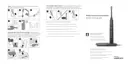

 Need help?
Do you have a question about the Philips Sonicare DiamondClean and is the answer not in the manual?
Risks associated with electrocution when using the device.
Safety precautions against burns, electrocution, fire, and physical injury.
Health considerations and advice from dental or medical professionals.
Compliance with standards for electromagnetic field exposure.
Explains different brushing modes like Clean, White, Polish, Gum care, and Sensitive.
Gradual increase of sonic power for new users.
Instructions for charging via wall socket and USB during travel.
Step-by-step guide to safely remove the battery for recycling.
Instructions on how to find the product's model number.
Lists items and conditions not covered by the product warranty.
Details on implied warranties and limitations of liability.
This document describes the Philips Sonicare DiamondClean electric toothbrush, a personal care device designed for oral hygiene. It emphasizes ease of use, advanced cleaning features, and convenient charging and travel options.
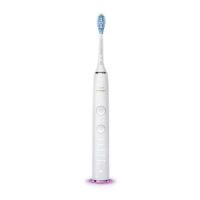
The Philips Sonicare DiamondClean is an electric toothbrush that utilizes sonic technology to provide effective plaque removal and improve gum health. It operates by moving the brush head at high speed, generating dynamic cleaning action that reaches between teeth and along the gumline. The device offers multiple brushing modes, each tailored for specific oral care needs, and incorporates a Quadpacer interval timer to guide users through a comprehensive brushing cycle.
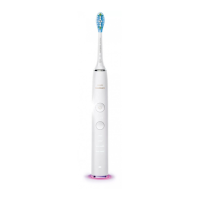
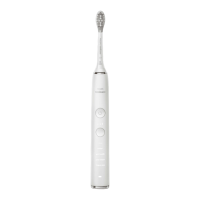
The toothbrush handle is ergonomically designed for comfortable grip and features a recessed power on/off button. A hidden display illuminates to indicate the selected brushing mode. The device is equipped with a charge indicator that flashes green when charging and rapidly flashes yellow when the battery is low. A full charge provides up to 3 weeks of use.
The Philips Sonicare DiamondClean offers five distinct brushing modes:
To use the toothbrush, users attach a brush head to the handle and apply a small amount of toothpaste. The brush head should be moved slowly and gently across the teeth in a back-and-forth motion, allowing the longer bristles to reach between teeth. It is important not to scrub like with a manual toothbrush but to apply light pressure and let the Sonicare do the work. The Quadpacer timer guides users to brush the four sections of their mouth evenly, beeping and pausing briefly at different intervals depending on the selected mode.
The device includes an "Easy-start" feature to help new users adapt to the sonic power. This feature gradually increases the sonic power over the first 14 brushings, provided each brushing lasts at least 1 minute. The Easy-start feature can be deactivated or reactivated by placing the handle in the plugged-in charging base or travel case, then pressing and holding the on/off button for 2 seconds. One beep indicates deactivation, while two beeps indicate reactivation.
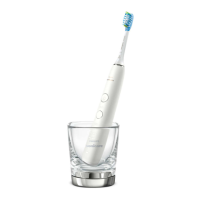
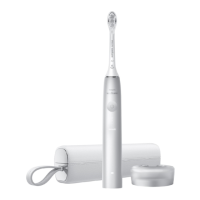
For travel convenience, the Philips Sonicare DiamondClean comes with a charging travel case. The handle can be charged via a wall socket using the provided USB wall adapter and USB cord, or directly via any USB port by removing the USB cord from the wall adapter. The charge indicator will flash green until the device is fully charged.
Regular cleaning of the Philips Sonicare DiamondClean is essential for optimal performance and hygiene. The handle and brush head should be rinsed periodically. All surfaces can be wiped down with a soft cloth and mild soap if desired. It is crucial not to use sharp objects for cleaning.
The charging glass is top-rack dishwasher-safe, offering convenient cleaning. However, the brush head, handle, charging base, and charging travel case are not dishwasher-safe and should be cleaned manually.
For extended storage, if the device will not be used for a long period, the charging base should be unplugged. All parts should be cleaned and stored in a cool, dry place away from direct sunlight.
The rechargeable battery inside the Philips Sonicare DiamondClean is not replaceable by the user but is designed for removal at the end of the product's life for recycling purposes. Instructions are provided for safe battery removal using a flat-head screwdriver, emphasizing the need for eye, hand, and finger protection. Users can also take the appliance to a Philips service center for battery removal and environmentally safe disposal. The appliance should not be disposed of with normal household waste but at an official collection point for recycling to help preserve the environment.
 General
| Brush Head Type | DiamondClean brush head |
|---|---|
| Modes | Clean, White+, Gum Health, Deep Clean+, TongueCare |
| Color | Black |
| Battery Type | Lithium-ion |
| Brush Movements | 31, 000 brush movements per minute |
| Travel Case | Yes (USB charging travel case included) |
| Warranty | 2 years |
| Charging | Charging glass |
| Voltage | 110-220 V |





 To Next Page