8
Tip
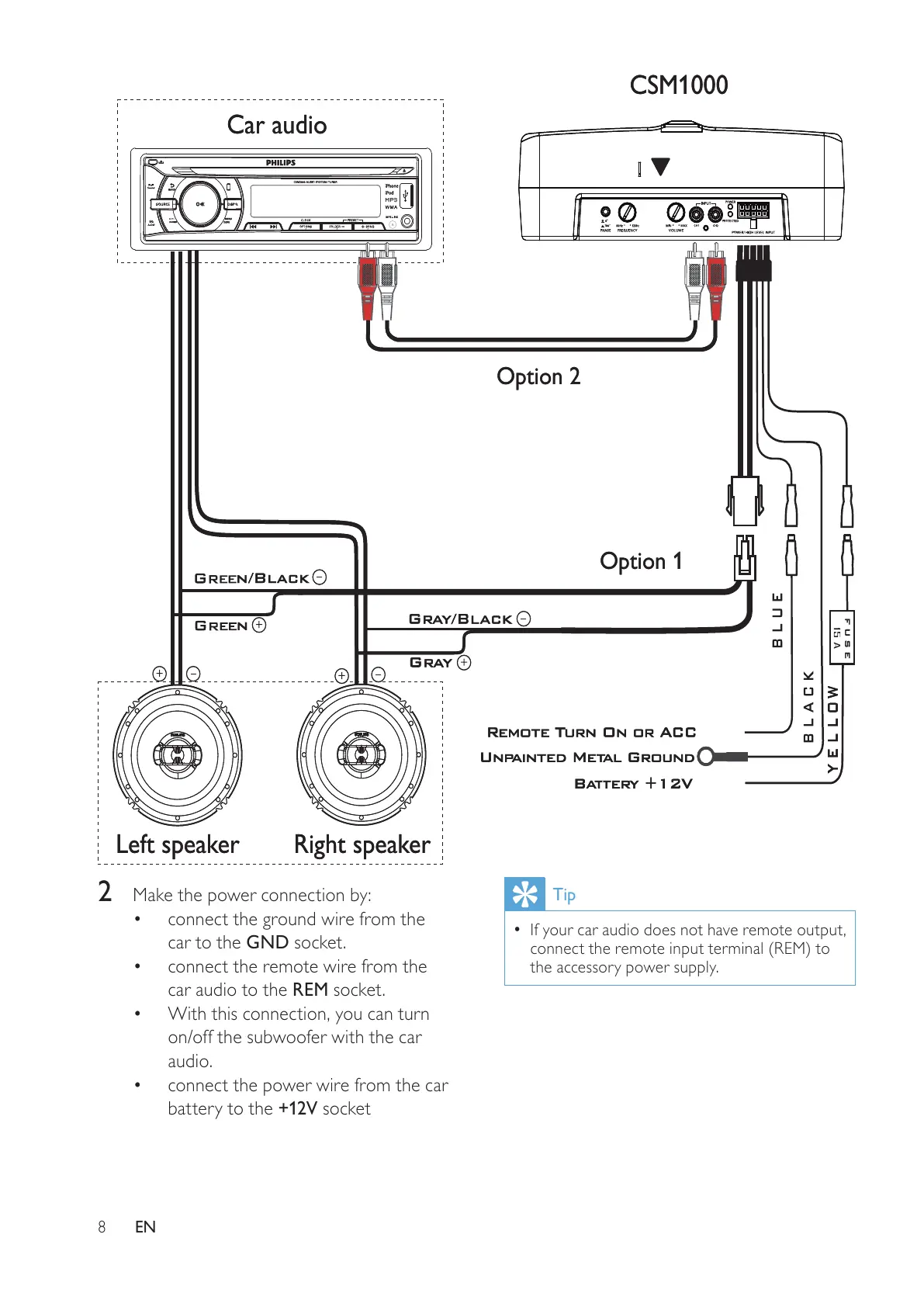
If your car audio does not have remote output, •
connect the remote input terminal (REM) to
the accessory power supply.
2 Make the power connection by:
connect the ground wire from the •
car to the GND socket.
connect the remote wire from the •
car audio to the REM socket.
With this connection, you can turn •
on/off the subwoofer with the car
audio.
connect the power wire from the car •
battery to the +12V socket
Car audio
Left speaker Right speaker
CSM1000
Option 1
Option 2
Car audio
Left speaker Right speaker
CSM1000
Option 1
Option 2
EN



 To Next Page