8 EN
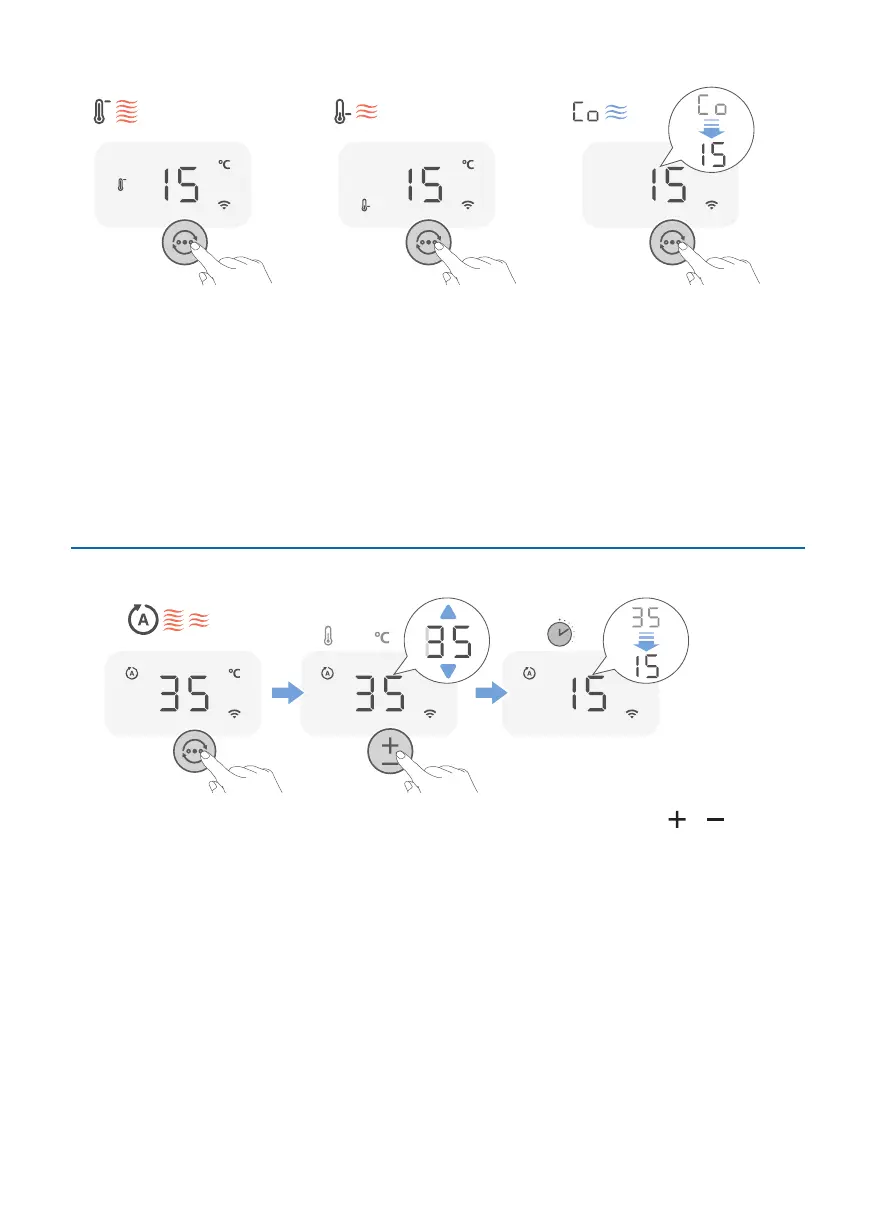
High mode: High speed,
quick results. When your
device is in high speed
mode, it operates on
the highest speed for
powerful, rapid heatup of
the air in your room.
Low mode: When in
Low mode, your device
provides you with a slight
comfortable heated
breeze.
Ventilation mode:
In ventilation mode the
device can double as a fan
on hot days. The heating
will be turned o and the
fan delivers a stream air
that's ideal for make the
warm rooms feel more
comfortable.
Setting the temperature
1-37
3S5S
In the Auto mode, you can adjust the temperature by touching the or button.
The temperature range is from 1°C-37°C.



 To Next Page