7EN
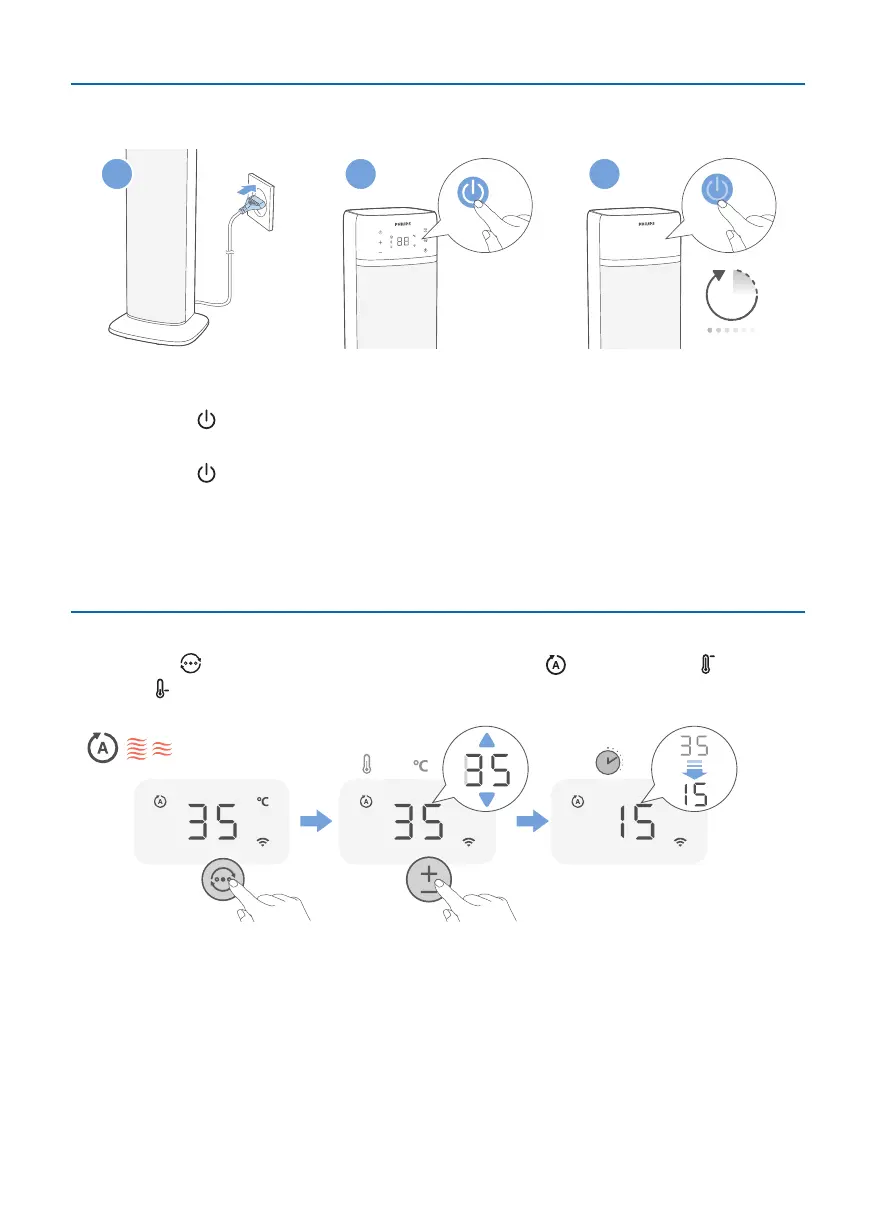
Turningonando
1 2 3
15S
1 Put the plug in the power socket.
2 Touch the button on the appliance to switch on the Heater. The appliance
beeps.
3 Touch the button again to switch o the Heater.
» The appliance starts countdown for 15 seconds before switching o.
Caution:
•
When the Heater continuously runs for 16 hours without any operation, it will
be forced to shut down for protection.
Switching the mode
•
Touch the button switch the mode: Auto mode ( ), High mode ( ), Low
mode ( ), and Ventilation mode.
1-37
3S5S
Auto mode: In this mode, your device will do the work for you. Based on the
sensor data that measures and tracks the temperature in your room, your device
automatically selects the heating speed to keep your room comfortable.



 To Next Page