9EN
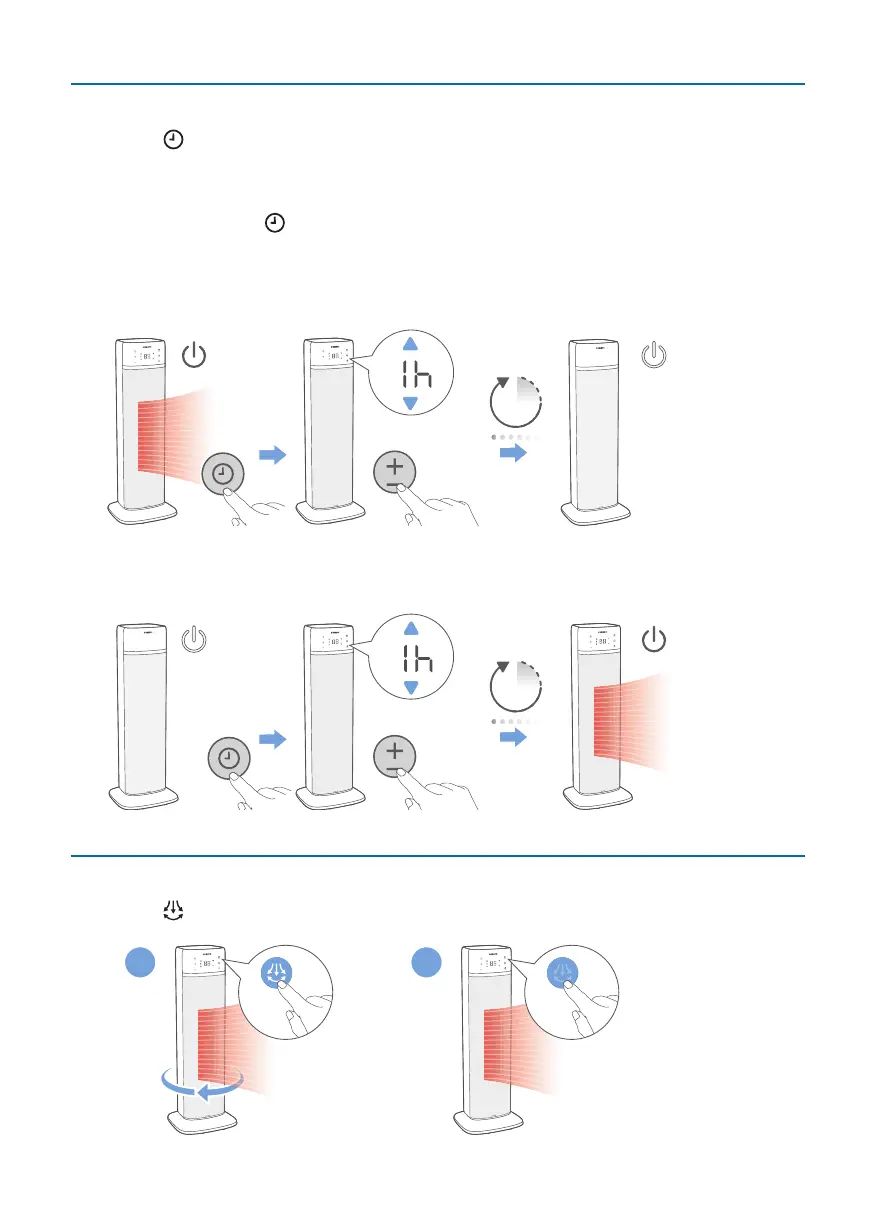
Using the timer function
Touch the button to set operating hours of the appliance. The timer is available
from 0 to 12hours. 0 hour means no timer is set.
Note:
•
Touch and hold the button for 3 seconds to cancel the timer you have set.
After the set timer has elapsed:
In standby mode
•
The Heater will be turned on automatically.
0h.1h-12h
1h
In power on mode
•
The Heater will be o automatically.
0h.1h-12h
1h
Oscillation
Touch the button to activate the oscillation feature in your Heater.
1 2



 To Next Page