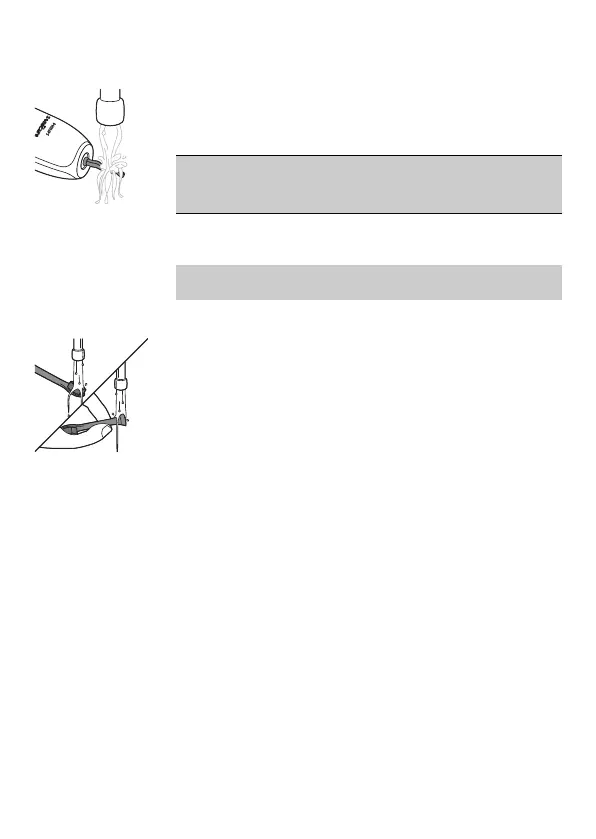
Toothbrush handle
1 Remove the brush head and rinse the metal
shaft area with warm water. Make sure you
remove any residual toothpaste.
Caution: Do not push on the rubber seal on the
metal shaft with sharp objects, as this may cause
damage.
2 Wipe the entire surface of the handle with a
damp cloth.
Note: Do not tap the handle on the sink to remove
excess water.
Brush head
1 Rinse the brush head and bristles after each
use.
2 Remove the brush head from the handle and
rinse the brush head connection with warm
water at least once a week. Rinse the travel cap
as often as needed.
Charger
1 Unplug the charger before you clean it.
2 Wipe the surface of the charger with a damp
cloth.
Storage
If you are not going to use the product for a long
time, unplug it, clean it (see chapter 'Cleaning') and
store it in a cool and dry place away from direct
sunlight.
16
English




 To Next Page