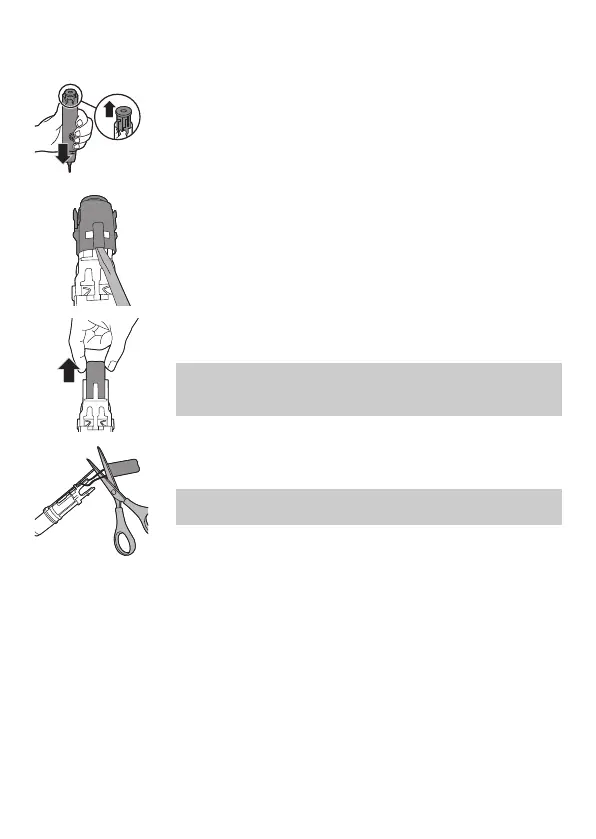
5 Holding the handle upside down, press the
shaft down on a hard surface. If the internal
components do not easily release from the
housing, repeat step 3 until the internal
components are released.
6 Remove the inner assembly from the housing
by fully inserting a small flat-head screwdriver
into the slot opposite the circuit board and pry
until it comes apart.
7 Grab the battery and pull it out of the internal
assembly.
Caution: Be aware of the sharp edges of the
battery tabs so as to avoid injury to your
fingers.
8 Cut the battery wires from the circuit board
close to the battery.
Caution: Do not cut the two wires at the same
time.
9 Cover the battery contacts with tape to prevent
any electrical short from residual battery
charge. The rechargeable battery can now be
recycled and the rest of the product discarded
appropriately.
Warranty and support
If you need information or support, please visit
www.philips.com/support or read the
international warranty leaflet.
19
English




 To Next Page