8
Deactivate the sleep timer.•
Stop alarm.•
f ALARM 1/ALARM 2`
Set the alarm timer.•
Turn off the alarm tone.•
View alarm settings.•
g Display panel
Show the current status.•
h REPEAT ALARM/BRIGHTNESS
CONTROL
Repeat the alarm.•
Adjust the display brightness.•
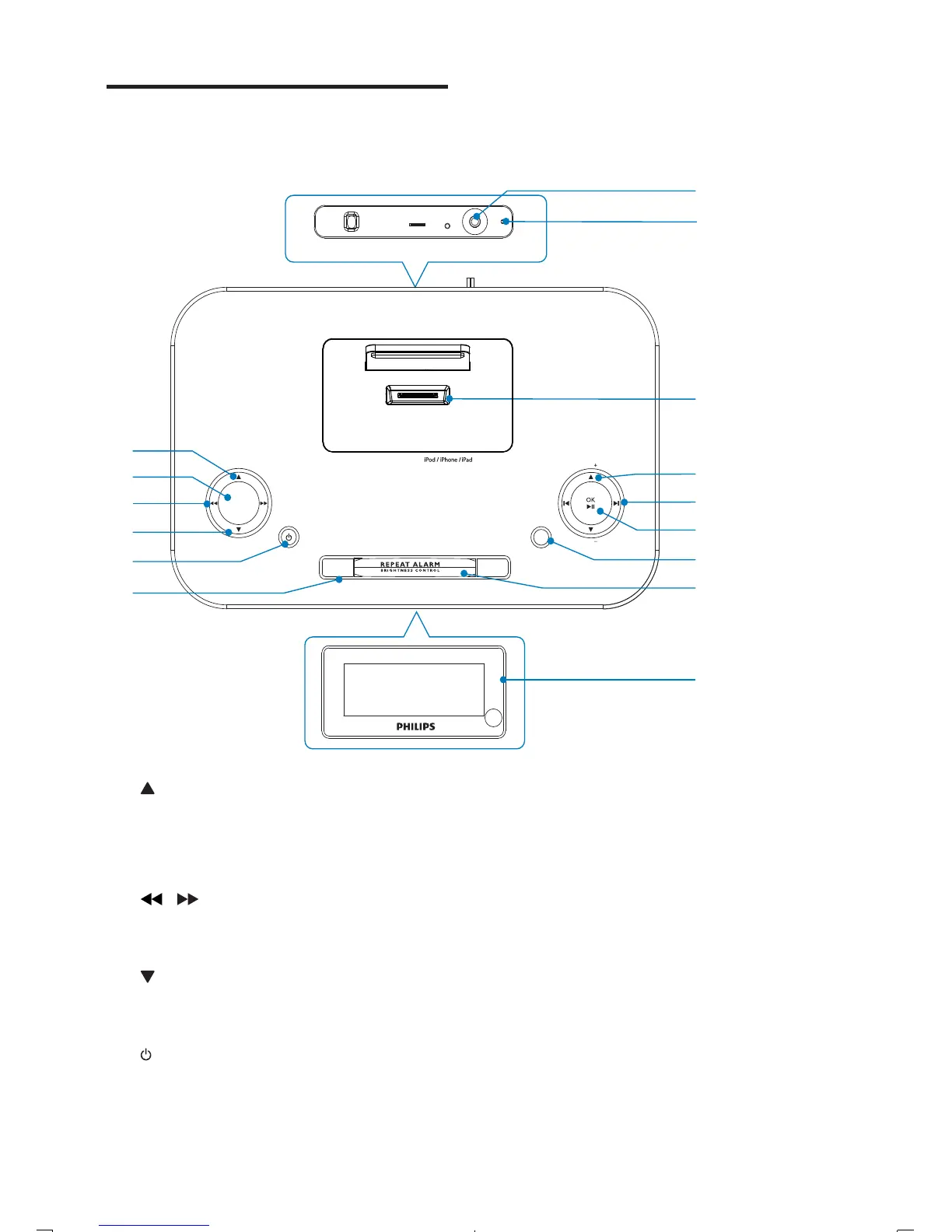
Overview of the main unit
VOL
VOL
SOURCE
ALARM 1 ALARM 2
SLEEP
SET TIME
PROG
DATE
MP3 LINK
FM
ANTENNA
AC ~
BUZZER
g
k
i
h
j
m
l
c
e
d
f
a
b
n
o
DOCKING SYSTEM FOR
a /DATE
View the clock time and date.•
b SLEEP
Set the sleep timer.•
c
/
Search within an audio file.•
Tune to a radio station.•
d
/SET TIME/PROG
Set the clock and date.•
Program radio stations.•
e
Turn on the unit or switch to •
standby mode.
EN



 To Next Page