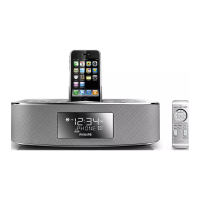
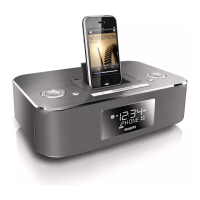
OK
for iPod
. . . . . . . . . . . . . .
confirms menu selection.
7
Dock connector
–
connects iPod player
8
USB jack
–
connects an external USB mass storage device
9
REPEAT
ALARM /
BRIGHTNESS CONTROL
– switches off the alarm for a 9 minute period
– changes the brightness of the display illumination
0
TUNING
¡1 / 2™
– adjusts clock/alarm time
– tunes to radio stations
– selects previous/next tracks in the iPod/USB mode
– fast searches forward/backward in the iPod/USB mode
MODE
–
selects different play modes: e.g. REPEAT or SHUFFLE (random order).
2;
– starts/pauses playback in the iPod/USB mode
9
– stops playback in the iPod/USB mode
!
1
ALM
/
2 ALM
–
activates/confirm alarm 1/alarm 2 time setting
– displays alarm 1/
alarm
2 time
– switches off alarm 1/
alarm
2 time
@
DISPLAY
–
shows clock/alarm times and status of the set
#
AUX IN jack (3.5 mm)
–
connects to external audio source
$
POWER jack
–
socket for AC/DC 9V adaptor
%
Pigtail
– improves FM reception



 To Next Page