EasyManua.ls Logo

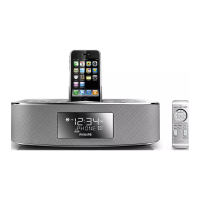
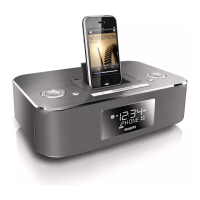
Philips DC291/37 - User Manual

Philips DC291/37
21 pages
Print Icon
To Next Page IconTo Next Page
Loading...
Register your product and get support at
www.philips.com/welcome
EN User manual 3
ES Manual del usuario 23
FR Mode d’emploi 43
DC291
Question and Answer IconNeed help?

Do you have a question about the Philips DC291/37 and is the answer not in the manual?

Summary

Support and Registration

Need help fast?

Guidance on obtaining quick support, suggesting reading manuals or contacting Philips.

Safety Symbols

Warranty Information

Who is Covered

Details who the warranty applies to, including original purchaser and gift recipients.

What is Covered

Explains coverage for defects in materials/workmanship and Philips' options for resolution.

Exclusions and Limitations

Lists items not covered, like shipping, installation, cosmetic damage, and commercial use.

Obtaining Assistance

Provides contact information for customer care in the US and Canada.

Important Safety Instructions

Your Docking Entertainment System

Get started

Connect power

Play

Listen to iPod;iPhone;iPad

Listen to radio

Other features

Set the alarm timer

Guide to setting up to two alarms with selectable sound sources and volumes.

Adjust sound

Product information

Specifications

Technical details including amplifier, FM, and speaker specifications.

Troubleshooting

No power

Troubleshooting steps for when the unit does not turn on.

No sound

Steps to resolve issues where no audio is produced by the unit.

No response from the unit

Guidance for when the unit becomes unresponsive to controls.

Timer does not work

Troubleshooting common issues with the alarm or sleep timer functions.

Summary

Support and Registration

Need help fast?

Guidance on obtaining quick support, suggesting reading manuals or contacting Philips.

Safety Symbols

Warranty Information

Who is Covered

Details who the warranty applies to, including original purchaser and gift recipients.

What is Covered

Explains coverage for defects in materials/workmanship and Philips' options for resolution.

Exclusions and Limitations

Lists items not covered, like shipping, installation, cosmetic damage, and commercial use.

Obtaining Assistance

Provides contact information for customer care in the US and Canada.

Important Safety Instructions

Your Docking Entertainment System

Get started

Connect power

Play

Listen to iPod;iPhone;iPad

Listen to radio

Other features

Set the alarm timer

Guide to setting up to two alarms with selectable sound sources and volumes.

Adjust sound

Product information

Specifications

Technical details including amplifier, FM, and speaker specifications.

Troubleshooting

No power

Troubleshooting steps for when the unit does not turn on.

No sound

Steps to resolve issues where no audio is produced by the unit.

No response from the unit

Guidance for when the unit becomes unresponsive to controls.

Timer does not work

Troubleshooting common issues with the alarm or sleep timer functions.

Philips DC291/37 Specifications

General IconGeneral
BrandPhilips
ModelDC291/37
CategoryDocking Station
ClockYes
RadioFM
Output Current1A
Input Voltage100-240V
Output Voltage5V
Cable Length1.2m
FeaturesFM Radio
Connectivity3.5mm AUX input
Charging Ports1
CompatibilityiPod, iPhone

Related product manuals