Need help?
Do you have a question about the Philips DC295 and is the answer not in the manual?
Covers crucial safety warnings, precautions, and guidelines for using the apparatus and its components, including battery handling.
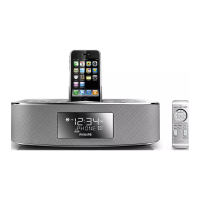
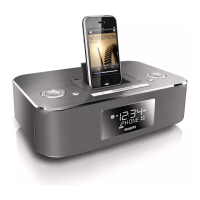
Describes the physical features and buttons of the main docking entertainment system unit.
Explains the functions of each button on the remote control for operating the docking entertainment system.
Provides instructions for installing batteries in the remote control, including important safety cautions.
Instructions on how to play audio content from connected iPod, iPhone, or iPad devices.
Details on connecting and playing audio from external devices using the AUDIO IN jack.
Guides on positioning the antenna and tuning to specific radio frequencies for optimal reception.
Detailed steps for configuring one or two alarms with different times and sound sources.
Instructions on how to enable or disable the set alarm timers.
Steps to resolve problems related to the unit not powering on.
Guidance for troubleshooting no sound or muted sound problems.
 General
| RMS rated power | 10 W |
|---|---|
| Audio output channels | - channels |
| AC input voltage | 220-240 V |
| Built-in charger | Yes |
| Power source type | AC |
| AC input frequency | 50 - 60 Hz |
| Number of batteries supported | 2 |
| FM band range | 87.5 - 108 MHz |
| Supported radio bands | FM |
| Preset stations quantity | 20 |
| Backlight color | White |
| Bluetooth | No |
| Headphone connectivity | 3.5 mm |
| Equalizer | - |
| Apple docking compatibility | iPod Nano 7, iPod Touch 5, iPhone 5, iPad mini |
| Volume control | Digital |
 Weight and Dimensions
| Depth | 163 mm |
|---|---|
| Width | 263 mm |
| Height | 135 mm |
| Weight | 1130 g |
| Package depth | 227 mm |
| Package width | 319 mm |
| Package height | 185 mm |
| Package weight | 2100 g |


 To Next Page