12EN
6 Other features
Set the alarm timer
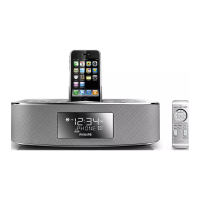
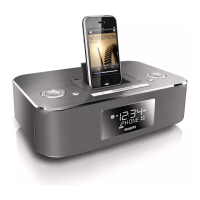
You can set two alarms at different time.
1 Ensure that you have set the clock
correctly.
2 Press and hold AL 1 or AL 2.
» The hour digits begin to blink, and you
can hear one beep.
» [ALSET]ashesonthescreen.
3 Press TUNING +/TUNING - repeatedly
to set the hour.
» The minute digits begin to blink.
4 Press TUNING +/TUNING - repeatedly
to set the minute.
5 Press OKtoconrm.
» The alarm mode begins to blink.
6 Repeatsteps4-5toselectwhethertoring
alarm the whole week, on weekdays, or at
weekend.
7 Repeatsteps4-5toselectanalarmsound
source: dock, FM or buzzer.
8 Repeatsteps4-5tosetthealarmvolume.
After alarm volume is set, the unit will exit
alarm setting, and you can hear two beeps.
Tip
• If you set iPhone/iPod playlist as the sound source, you
mustcreateaplaylistiniTunescalled“PHILIPS”and
import it to your iPhone/iPod.
• If no playlist is created in the iPod/iPhone or there is
no song in the playlist, the unit will wake to songs in the
iPod/iPhone.
• If you select dock as alarm sound source, when there is
no device docked, the alarm will automatically switch to
buzzer to ring the alarm.
• If both alarms are set to the same time, only AL1 will
ring.
Activate and deactivate the alarm
timer
1 Press AL1/AL2 repeatedly to activate or
deactivate the timer.
» If the timer is activated, [ AL1]or
[ AL2]isdisplayed.
» If the timer is deactivated, [ AL1]or
[ AL2]disappears.
Repeat alarm
1 When the alarm rings, press REP ALM .
» The alarm stops, and the alarm icon
ashes.
» The alarm will resume ringing 9
minutes later.
Note
• When using batteries to operate, alarms can only use
buzzer as sound source.
• When using batteries to operate, you can only press
REP ALM to show time.
Stop alarm ring
1 When the alarm rings, press the
corresponding AL1 or AL2 .
» The alarm stops but the alarm settings
remain.
Tip
• If you do not stop the alarm, it will ring for 30 minutes.
• When an alarm rings, it shall begin from a relative low
volume, and rise gradually to the highest alarm volume
in 90 seconds.
View the alarm settings
1 Press AL1 or AL2 .



 To Next Page