EasyManua.ls Logo

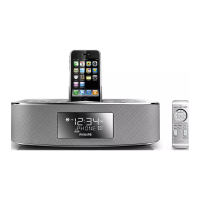
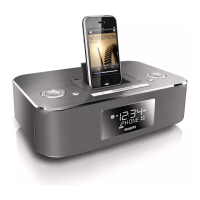
Philips DC290/37 - User Manual

Philips DC290/37
18 pages
Print Icon
To Next Page IconTo Next Page
Loading...
Register your product and get support at
www.philips.com/welcome
EN User manual 3
DC290
Question?
Contact
Philips

Other manuals for Philips DC290/37

Question and Answer IconNeed help?

Do you have a question about the Philips DC290/37 and is the answer not in the manual?

Summary

Safety Symbols and Customer Information

Safety Symbols

Explains safety symbols like risk of electric shock, warnings, and cautionary notes for safe operation.

Philips Limited Warranty

Warranty Coverage Details

Outlines what is covered, exclusions, and limitations of the Philips limited warranty.

What the Warranty Covers

Details defects in materials and workmanship covered by the Philips warranty.

Warranty Exclusions and Limitations

Lists specific conditions, damages, and products not covered by the limited warranty.

Important Information

Safety Instructions

Provides crucial safety instructions for operating the apparatus, including electrical and handling precautions.

Your Docking Entertainment System

Overview of Main Unit

Details the main unit, its ports, and primary controls.

Get Started

Connect Power

Guidance on safely connecting the apparatus to a power source.

Play Audio Content

Play from iPod;iPhone

How to enjoy audio from a docked iPod or iPhone.

Listen to Radio

Other Features

Set Alarm Timer

Instructions for setting up to two alarms with various sound sources.

Product Information

Troubleshooting

No Power Issues

Steps to resolve issues where the unit does not power on.

Summary

Safety Symbols and Customer Information

Safety Symbols

Explains safety symbols like risk of electric shock, warnings, and cautionary notes for safe operation.

Philips Limited Warranty

Warranty Coverage Details

Outlines what is covered, exclusions, and limitations of the Philips limited warranty.

What the Warranty Covers

Details defects in materials and workmanship covered by the Philips warranty.

Warranty Exclusions and Limitations

Lists specific conditions, damages, and products not covered by the limited warranty.

Important Information

Safety Instructions

Provides crucial safety instructions for operating the apparatus, including electrical and handling precautions.

Your Docking Entertainment System

Overview of Main Unit

Details the main unit, its ports, and primary controls.

Get Started

Connect Power

Guidance on safely connecting the apparatus to a power source.

Play Audio Content

Play from iPod;iPhone

How to enjoy audio from a docked iPod or iPhone.

Listen to Radio

Other Features

Set Alarm Timer

Instructions for setting up to two alarms with various sound sources.

Product Information

Troubleshooting

No Power Issues

Steps to resolve issues where the unit does not power on.

Philips DC290/37 Specifications

General IconGeneral
TypeDocking Station
BrandPhilips
ModelDC290/37
CompatibilityiPod, iPhone
Power SupplyAC Power
Radio tunerFM
Audio in (3.5mm)Yes
ColorBlack
Connector30-pin dock connector
FeaturesAlarm clock, FM radio

Related product manuals