10 EN
Continuous mode
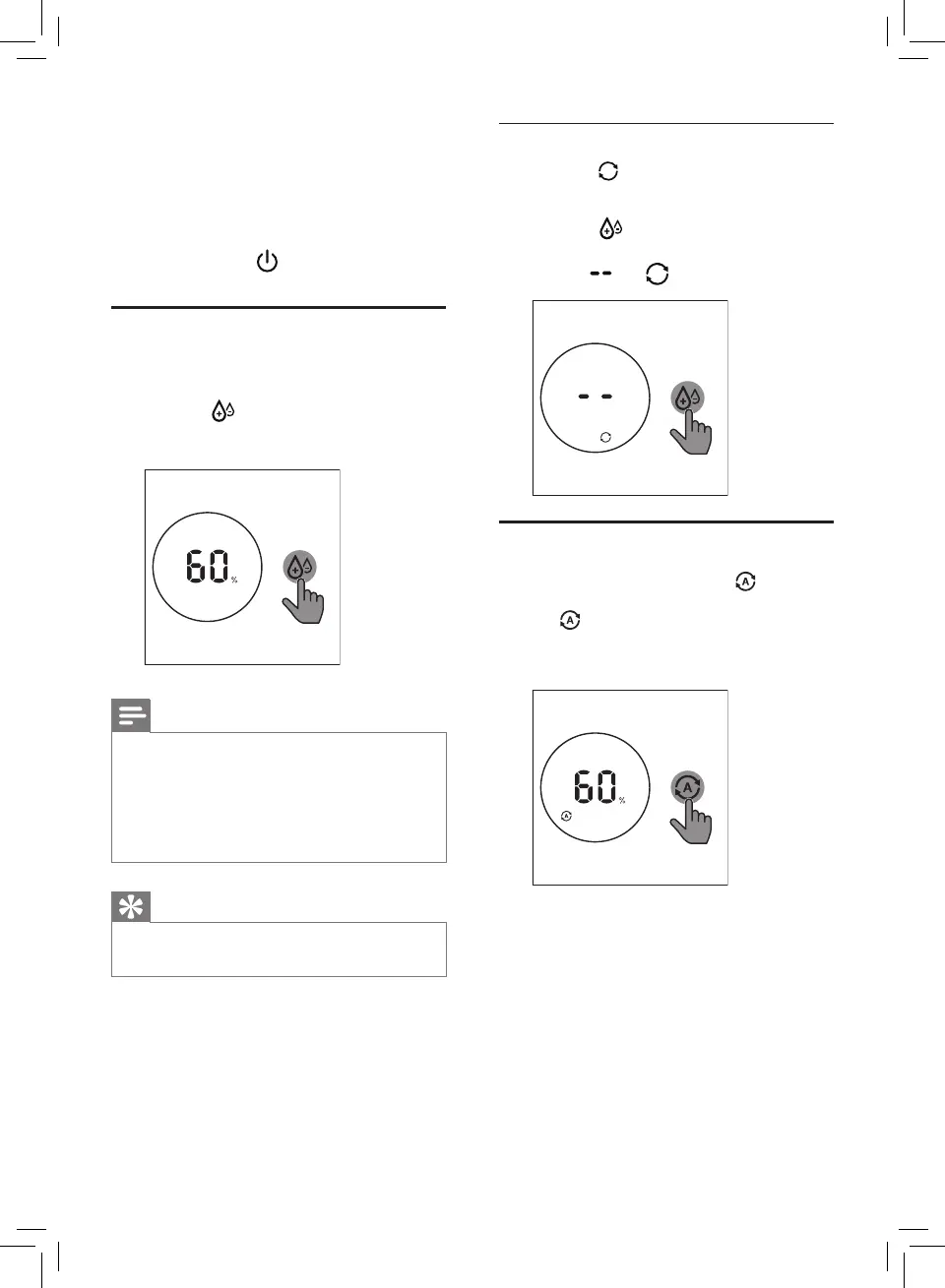
In continuous mode,theappliance
constantly works with the optimal
dehumidifying settings.
• Touch the button repeatedly to select
the continuous mode.
» The and display on the screen.
Selecting the Auto mode
• Touch the Auto mode button to select
the Auto mode.
» displays on the screen.
» The current humidity level displays on
the screen.
» After measuring the ambient
humiditylevel,thehumiditysensor
automatically selects the color of the
humidity light.
» ThedehumidiergoestotheAuto
mode.
3 Touch and hold for 3 seconds to turn
othedehumidier.
Setting the humidity level
You can set the desired humidity level to 40,50,
60,70,or-- percent.
• Touch the button one or more times
tosetthedesiredhumiditylevel,andthe
humidity indicator lights up.
Note
• When the humidity is decreased to
theselectedlevel,thedehumidier
automaticallystopsdehumidifyingtheair,
but the fan will continue working.
• Ifyoudonotsetthehumiditylevel,the
defaultrelativehumidityis60%.
Tip
• A comfortable humidity level is from RH
40%toRH60%.


 To Next Page