9EN
4 Using the
dehumidifier
The humidity light
Humidity
light color
Ambient humidity level
Blue ≤5(Lowerambienthumidity
level compared with preset
humiditylevel)
Purple 6-15(Mediumambient
humidity level compared with
presethumiditylevel)
Red >15(Higherambienthumidity
level compared with preset
humiditylevel)
The humidity light automatically goes on when
theapplianceisswitchedon,andlightsupall
colorsinsequence.Inashorttimethehumidity
sensors select the color that corresponds to the
surrounding humidity.
Turningonando
Note
• Foroptimumperformance,closedoors
and windows.
• Keep curtains away from the air inlet or air
outlet.
• Foroptimumdehumidicationeciency,
placethedehumidierinaat,stable
surface.
• Beforeturningonthedehumidier,check
if the power voltage corresponds to the
voltageprintedonthedehumidier.
1 Puttheplugofthedehumidierinthe
wall outlet.
» Thedehumidierbeeps.
2 Touch the button once to turn on the
appliance.
» The current humidity level is displayed
on the screen.
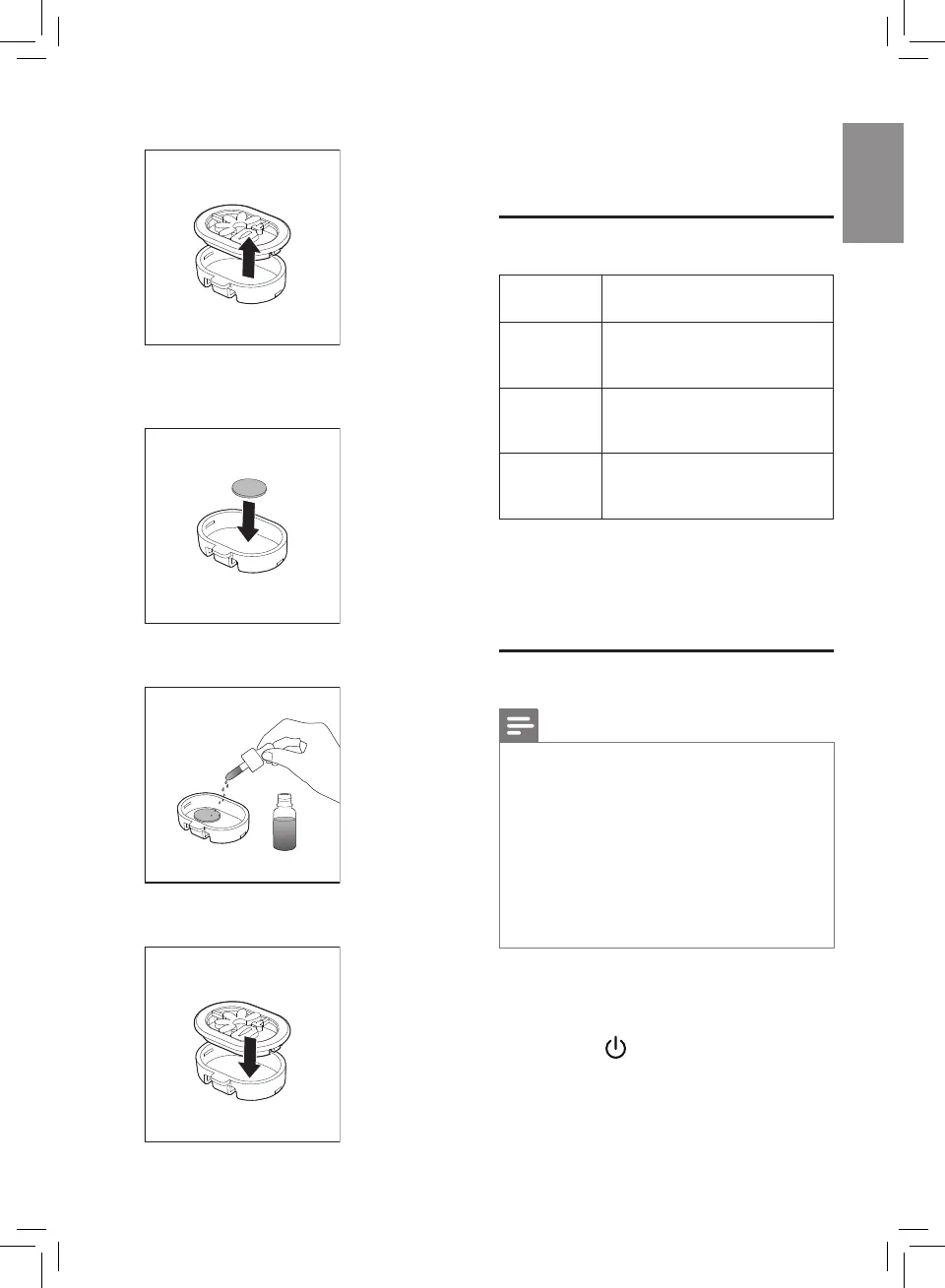
2 Remove the cover of the aroma box.
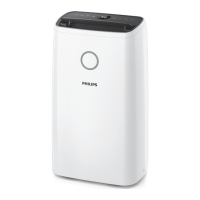
3 Remove the packing materials of the aroma
pads and put one piece of pads into aroma
box.
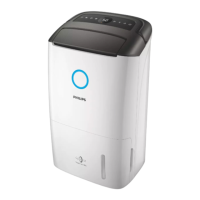
4 Dropin2-3dropsofessentialoilstothe
aroma pad.
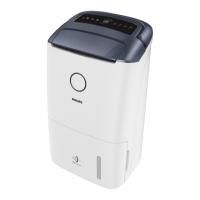
5 Close the cover of the aroma box and put it
backontothetopofthedehumidier.


 To Next Page