15 OK Conrmselection.•
Enter the options •
menu.
16 Buzzer
17 Battery
door
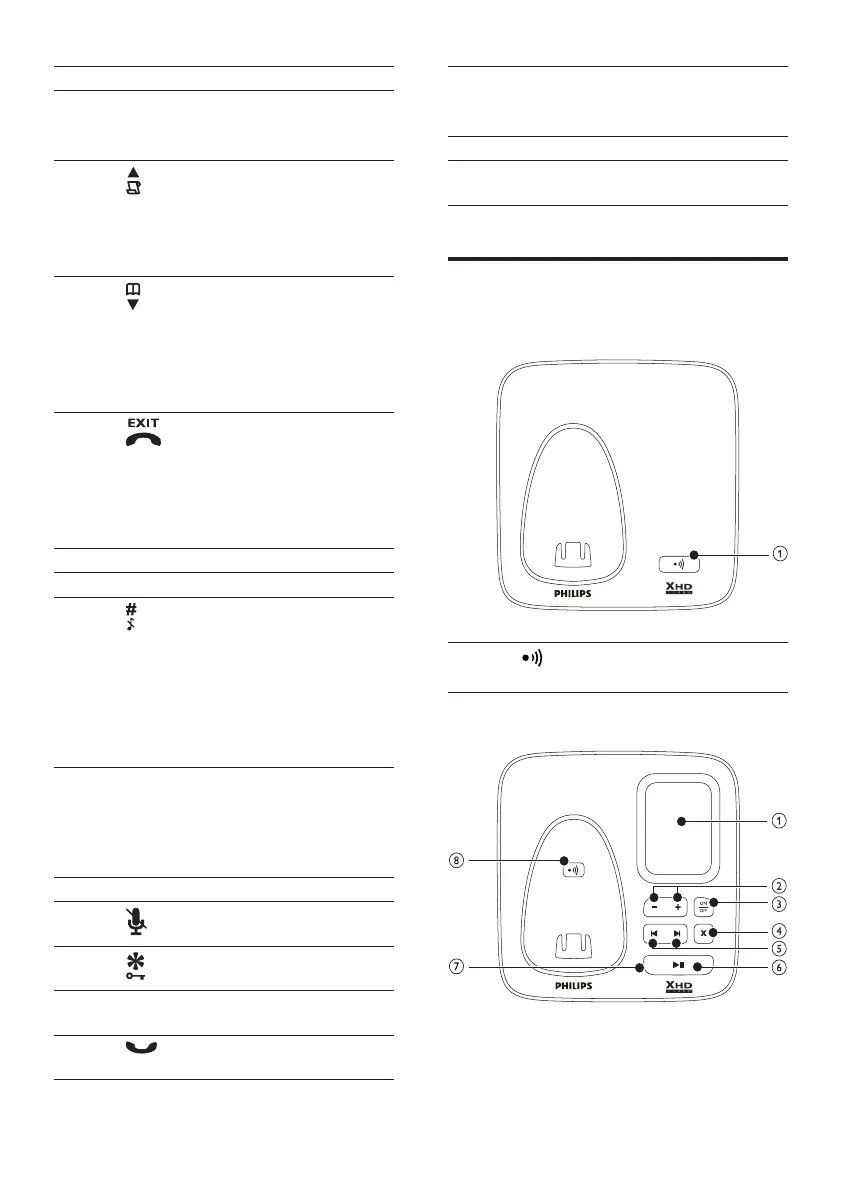
Overview of the base station
CD170
1 Find handsets.•
Enter registration mode.•
CD175
1 Earpiece
2 BACK Delete text or •
digits.
Cancel operation.•
3
Scroll up on the •
menu.
Increase the •
earpiece volume.
Enter the call log.•
4
Scroll down on the •
menu.
Decrease the •
earpiece volume.
Enter the •
phonebook.
5
End the call.•
Exit the menu/•
operation.
Press and hold to •
turn the handset
on/off.
6 R Sendtheashsignal.•
7 REDIAL Enter redial list.•
8
Press and hold to •
enter a pause to
make a predial call
(see “Make a call” in
the Calls section).
Press and hold to •
turn the ringer on/
off.
9 INT Make the intercom •
call.
Press and hold to •
make a conference
call.
10 Microphone
11
Mute/unmute the •
microphone.
12
Press and hold to •
lock/unlock keypad.
13 MENU Access the main •
menu.
14
Make and receive •
calls.
EN
IFU_CD170-175_05_EN.indd 10 2009-12-17 17:30:31



 To Next Page