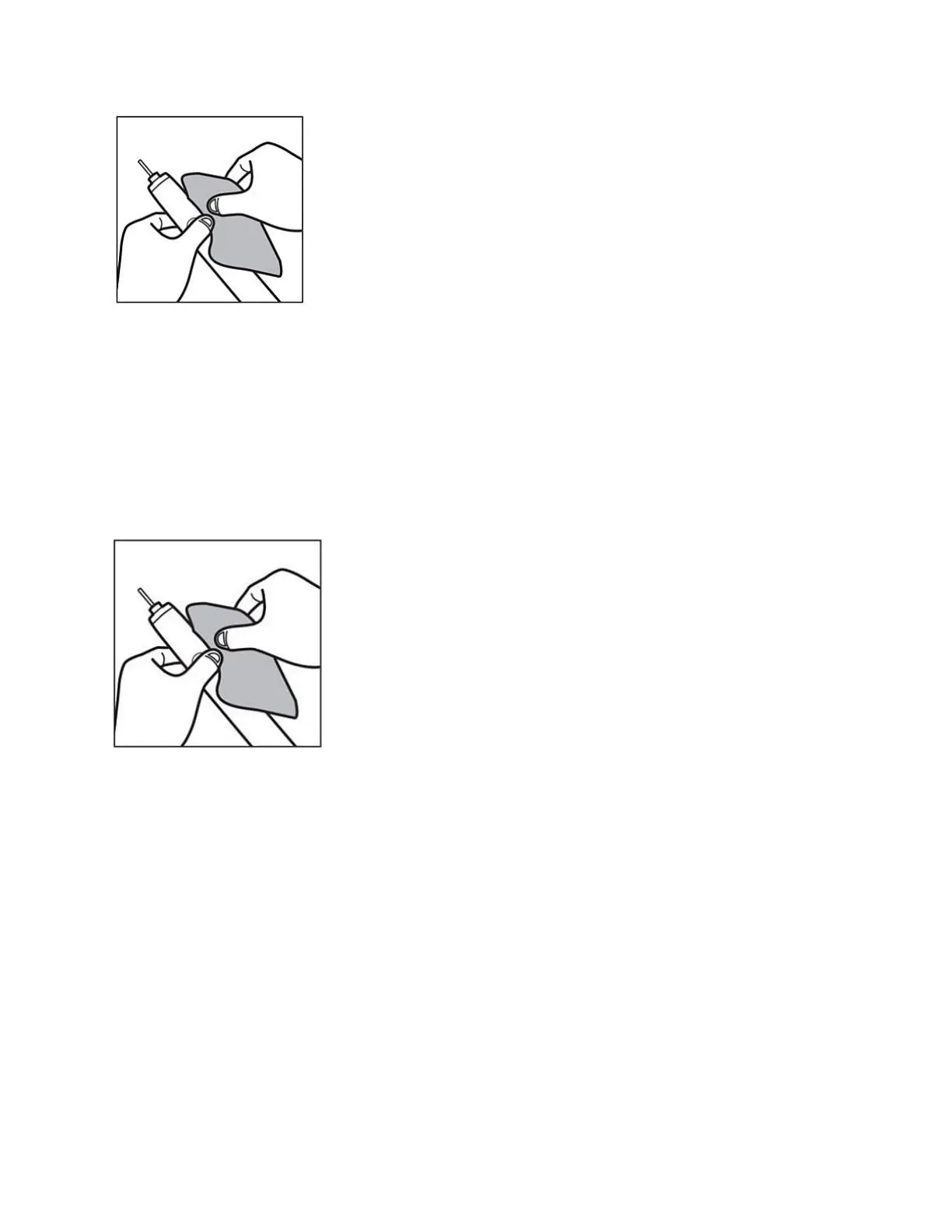
The power button is stuck
Toothpaste residue can build up in the small gap around the power button. This might cause
the power button to get stuck and not function properly. Clean the power button and the area
around it with a damp cloth to make sure it is free of debris. We recommend removing the
brush head after each use and rinsing the brush head and the handle under water to remove
residue.
For Smart Toothbrushes check firmware updates
If you are using a smart toothbrush, note that it gets software updates when connected to the
app. This happens through firmware updates. Some of these updates improve charging
capability.
Follow these steps to check if you have the latest firmware installed on your toothbrush
handle:
Update (or download) the latest version of the Philips Sonicare app from the App Store or
Google Play.
Open the Philips Sonicare app
Tap on the menu icon in the top left corner






 To Next Page