English
60
Playback from Disc (continued)
Playing a DVD video disc
Normally the DVD disc contains a disc
menu. You may have to make your
selection (e.g.,, subtitle or audio language)
within the disc menu.
A Insert a DVD.
If the disc menu appears, use keys
to select a play option and press OK to
con rm or the alphanumeric keypad
0-9 to input your selection.
To access the disc menu
Press DISC on the remote control.
To select the previous or next
chapter/title
During playback, press SELECT on the
remote control to toggle between
‘TITLE’ or ‘CHAPTER’, then press í /
ë.
B To stop playback, press STOP x.
Playing a (Super) Video CDs
(Super) Video CDs may feature ‘PBC’
(Play Back Control). This allows you to
play the video CDs interactively,
following the menu on the display.
A Insert a (Super) Video CD.
If the disc index menu appears, use
keys to select a play option or use the
alphanumeric keypad 0-9 to input
your selection and press OK to con rm.
To return to the previous menu, press
BACK on the remote control.
B To stop playback, press STOP x.
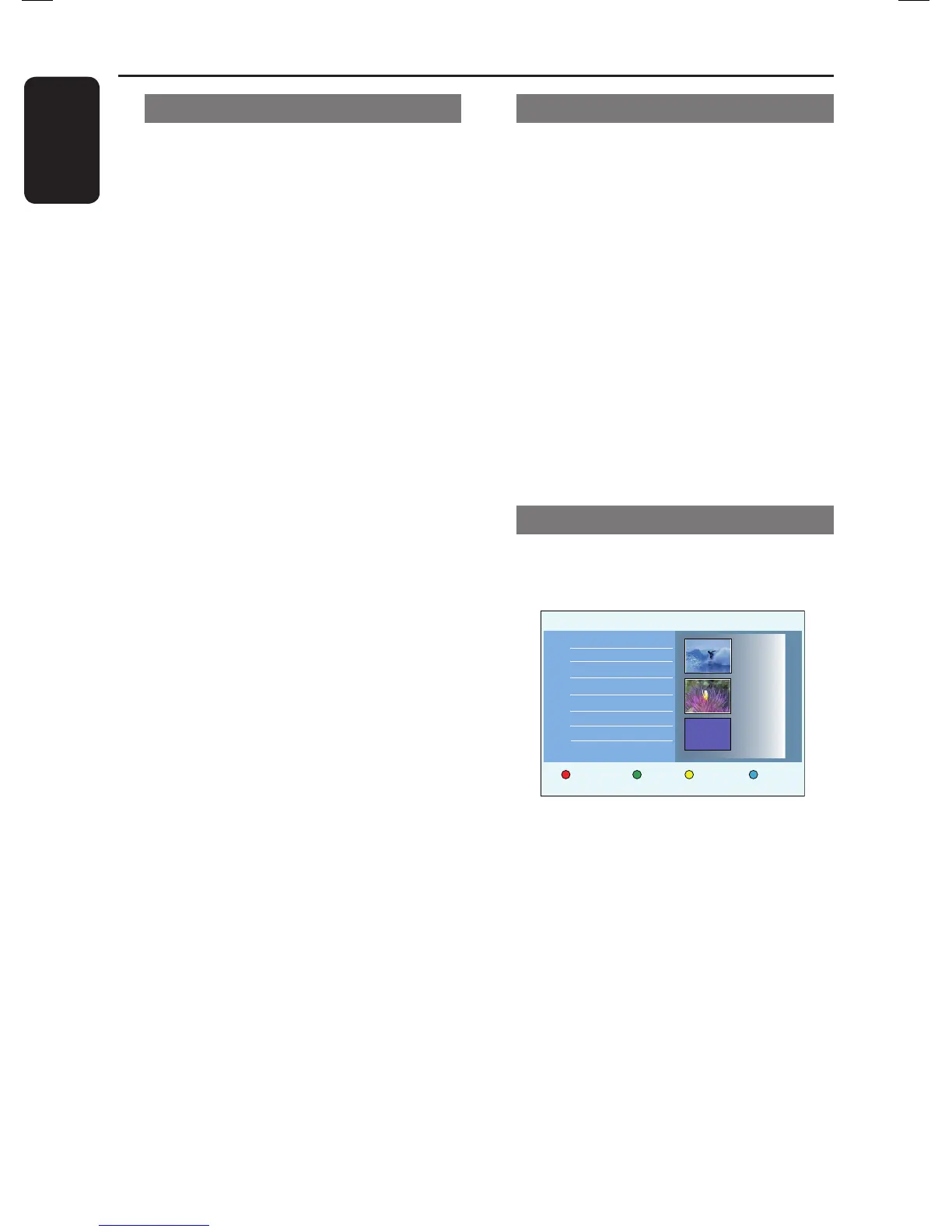
Playing a DVD recordable disc
A Insert a DVD recordable disc.
The Index Picture screen appears.
Protect
Delete
Child Lock
00:05:12
HQ
15.07.06
02:00:24
SP
28.07.06
00:35:12
SP
Title
Title 1
Title 2
Title 3
Title 4
Title 5
Empty title
B Use keys to select a title to play,
then press u.
C To stop playback, press STOP x.
Helpful Hint:
– If the message ‘EMPTY DISC’ appears on
the display panel, this means that there are
no recordings on this disc.















 To Next Page