EasyManua.ls Logo

Philips DVP2702 - DVD Settings Configuration; System Display Settings; Language Settings Configuration; Audio Output Settings

Philips DVP2702
24 pages
Print Icon
To Next Page IconTo Next Page
To Previous Page IconTo Previous Page
Loading...
16
EN
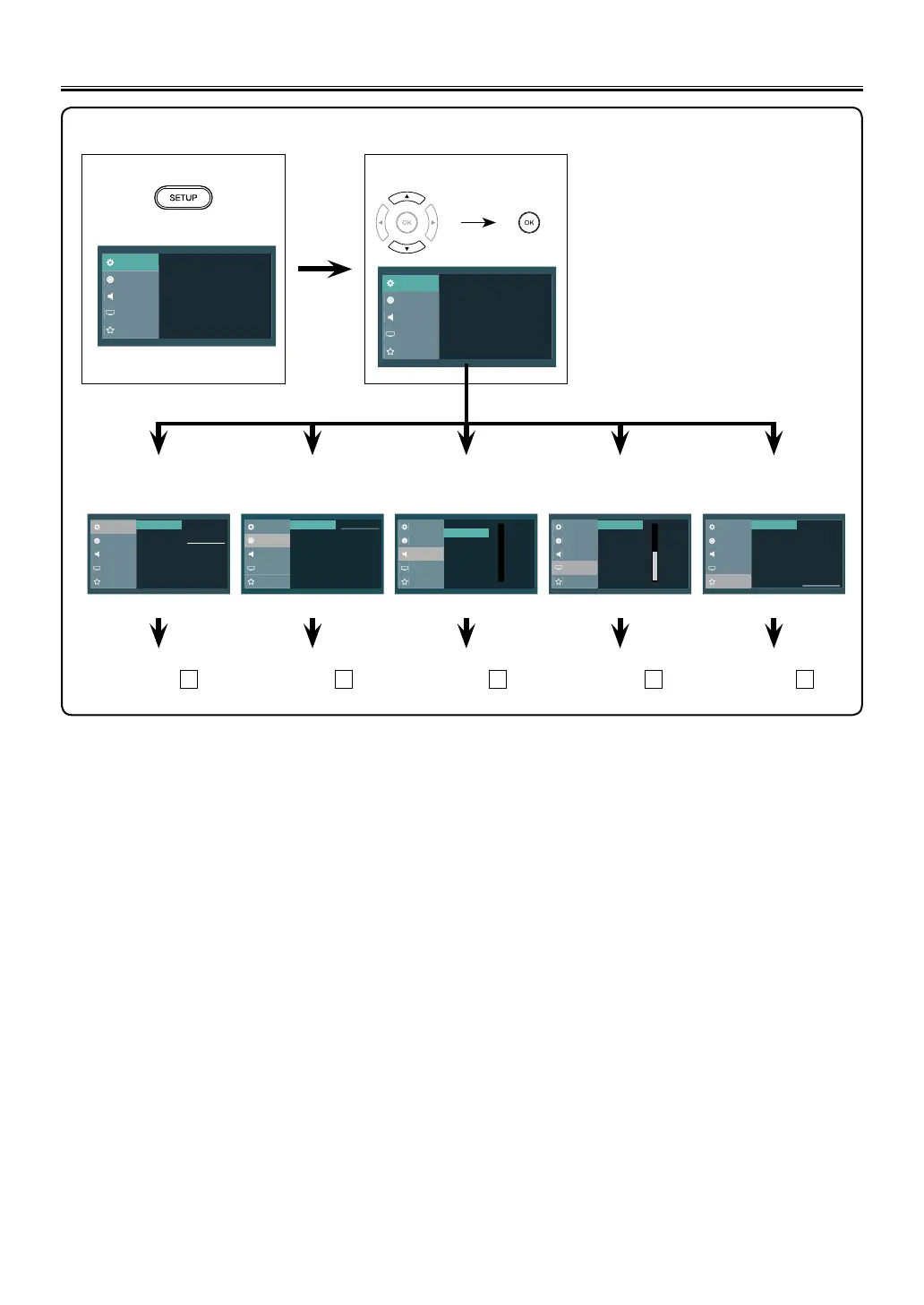
You can change the Settings on the unit. Setting items are displayed in gray when they are not available under the
conditions at the time.
1 Press [SETUP].
2 Select the desired item.
System
Language
Audio
Video
Preference
16:9 Wide TV Display
System menu Language menu Audio menu Video menu Preference menu
System
Language
Audio
Video
Preference
4:3 Crop
4:3 Normal
16:9 Wide
16:9 Squeeze
TV Display
System
Audio
Video
Preference
Français
English
Audio
Subtitle
Menu
Disc Menu
Español
Language
System
Language
Audio
Video
Preference
8
Night Mode
Digital Audio
0
System
Language
Audio
Video
Preference
12
Contrast
Brightness
0
Color
Sharpness
Tint
System
Language
Audio
Video
Preference
2 [G]
1 [Kid Safe]
3 [PG]
5 [PGR]
4 [PG-1 3]
6 [R]
7 [NC-17]
8 [Adult]
Password
Default
Parental
page 17
A
page 18
B
page 19
C
page 20
D
page 21
E
DVD Settings
<Setup menu>
System
Language
Audio
Video
Preference
16:9 Wide TV Display

Other manuals for Philips DVP2702

Related product manuals