EasyManua.ls Logo

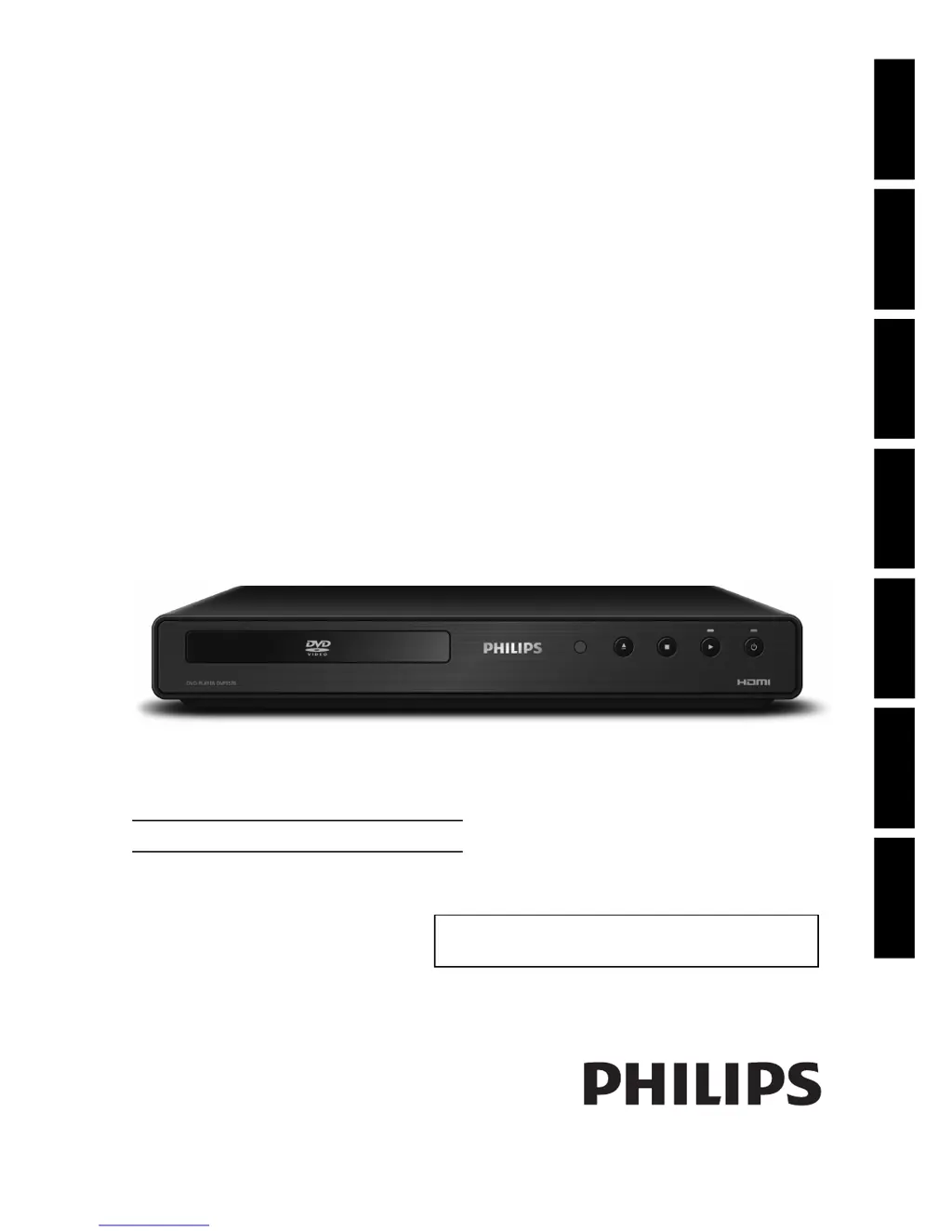
Philips DVP3570 - User Manual

Philips DVP3570
32 pages
Print Icon
To Next Page IconTo Next Page
Loading...
Register your product and get support at
www.philips.com/welcome
DVP3570/F7
DVD-CD PLAYEREN
Playback Function Setup OthersIntroduction Connections Basic Setup
© 2010 P&F USA, Inc.
For further assistance, call the customer support service in your country.
To obtain assistance in the U.S.A., Canada, Puerto Rico, or the U.S. Virgin
Islands, contact Philips Customer Care Center at 1-866-309-0866
Español

Other manuals for Philips DVP3570

Questions and Answers

  • S
    Sherry AlvarezSep 8, 2025
    What to do if my Philips DVP3570 DVD Player does not return to start-up screen?
    • U
      uwongSep 8, 2025
      If your Philips DVD player does not return to the start-up screen when the disc is removed, reset the unit by switching it off and then on again.
  • A
    Anthony ShafferSep 12, 2025
    Why Philips DVP3570 DVD Player does not respond to some commands during playback?
    • T
      Timothy WashingtonSep 12, 2025
      If your Philips DVD player is not responding to some operating commands during playback, it may be because the disc does not permit those operations. Refer to the disc's instructions for more information.
  • W
    William RiosSep 12, 2025
    Why no DTS audio is output from Philips DVP3570 DVD Player?
    • B
      Brooke ChanSep 13, 2025
      This Philips DVD unit does not support DTS audio.
  • F
    fgarnerSep 14, 2025
    Why angle does not switch on Philips DVP3570 DVD Player?
    • T
      Tony WheelerSep 14, 2025
      If the angle does not switch on your Philips DVD Player, it is because the DVD does not contain multiple angles. In some cases, multiple angles are only recorded for specific scenes.
  • S
    Stacy MedinaSep 16, 2025
    Why error message appears when I select “Auto” in the “Player Menu” of Philips DVP3570 DVD Player?
    • D
      David GreenSep 16, 2025
      When selecting 'Auto' in the 'Player Menu' of your Philips DVD player, this error message may appear if the unit is not connected to a Philips brand EasyLink TV with “EasyLink (HDMI CEC)” set to “On,” or if your TV’s OSD language is not supported by the unit.

Summary

Introduction

PRECAUTIONS

Safety instructions and warnings for the device.

Connections

CONNECTIONS

Details how to connect the DVD player to various devices.

Connection to an Audio System

Guide for connecting to stereo systems or AV receivers.

Playback

BASIC PLAYBACK

Instructions for standard playback of DVDs and CDs.

Playing Back a Disc with MP3;JPEG Files

How to play back discs containing MP3 and JPEG files.

SPECIAL PLAYBACK

Advanced playback features like fast forward, slow, zoom, and repeat.

Function Setup

LIST OF SETTINGS

Overview of customizable settings available in the menu.

Ratings Lock

How to set parental controls based on disc rating levels.

Reset to Factory Default

Instructions to restore the player to its original settings.

Others

TROUBLESHOOTING

Common problems and their solutions for the DVD player.

Philips DVP3570 Specifications

General IconGeneral
Video upscalingYes
Analog signal format systemNTSC
Audio decodersDolby Digital
Audio formats supportedMP3
Image formats supportedJPG
Video formats supported-
Playback disc typesCD, CD-R, CD-RW, DVD, DVD-R, DVD-RW
Recording disc typesNot supported
Playback disc formatsCD audio, CD video
Card reader integratedNo
Device typeDVD player
Form factorSet-top
Product colorBlack
Weight and Dimensions IconWeight and Dimensions
Depth215 mm
Width360 mm
Height50 mm

Related product manuals