9
EN
English
Control and play
Note
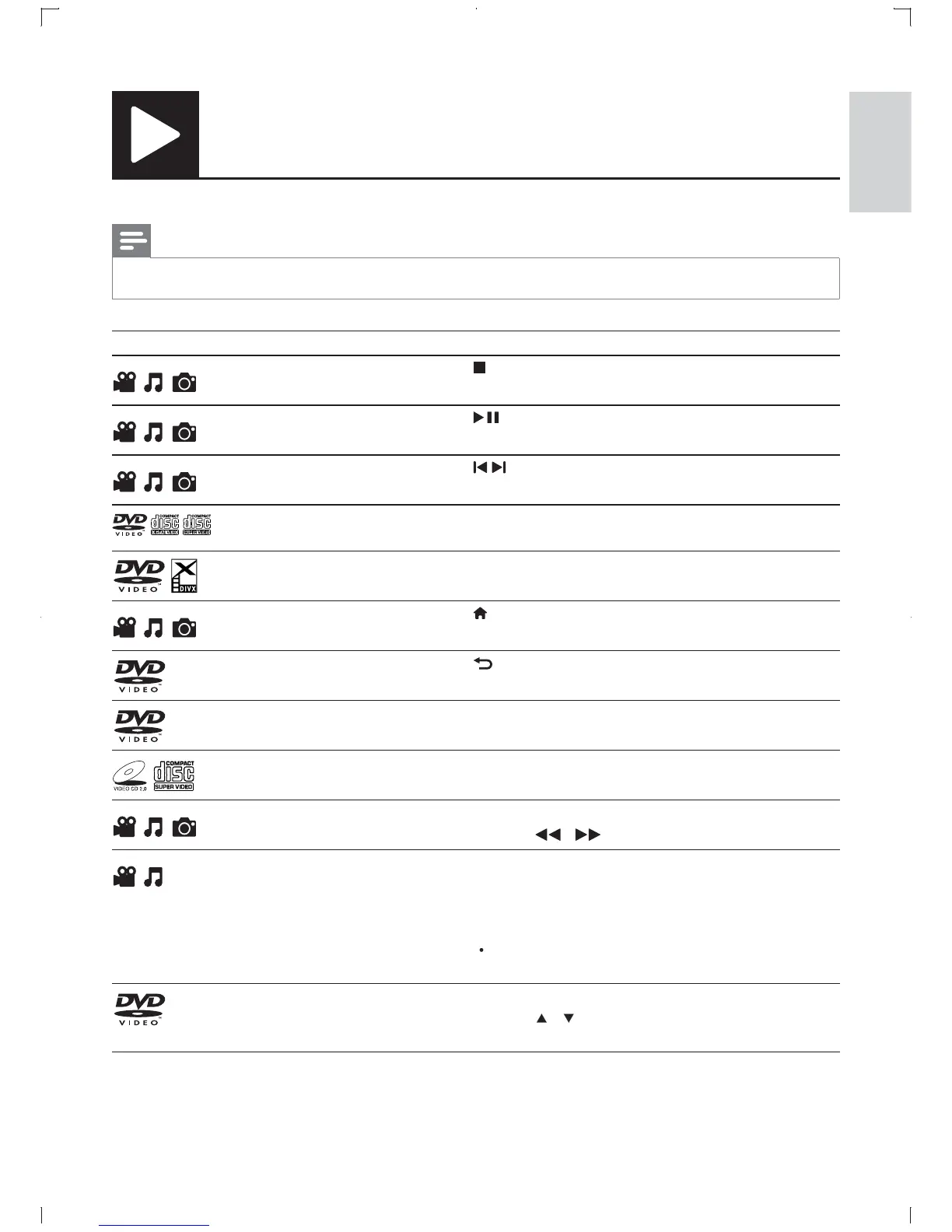
When “ • X” appears, it means that this operation is unavailable for the current media or at the current time.
Media Function Buttons / Actions
Stop the play
Pause or resume the play
Skip to the previous/next title,
chapter, track, or file
/
Select an audio language or
audio channel
ၿ
Select a subtitle language
ሷଢ
Return to the home page
Return to the root menu
ٖ߱
Return to the disc menu
ܿןĹҖ֊
Enable or disable the PBC
(playback control) feature
ܿןĹҖ֊
Select a repeat mode
1) Press ᇛڳĹᇛڳ A-B.
2) Press
/ .
Repeat a specific section within
a track
1) Press ᇛڳĹᇛڳ A-B twice to select the
start point.
2) Press ᇛڳĹᇛڳ A-B again to select the end
point.
To resume the normal play,
press ᇛڳĹᇛڳ A-B.
Skip to a title or chapter
1) Press ๏ላ .
2) Press
/ to enter the title/chapter number.
3) Press OK to confirm.



 To Next Page