10
Your recorder
Table of contents
3.3 Product overviews
3.3.1 Front and rear sides
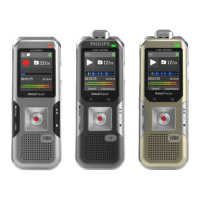
a ON/OFF switch / HOLD (keypad lock)
b Slot for memory card (microSD card)
c Microphone
d DVT6000 – DVT8000: Zoom microphone
e Status LED:
Red–device is recording
Green–device is playing back
Orange–data is being transferred to/from the computer
f Display
g Operating panel with keys
h Speaker
i Eye for wrist strap
j Reset key
k DVT6500, DVT8000: Infra-red remote control signal sensor
window
l Headphone socket (stereo jack plug, 3.5 mm)
m External microphone socket, line-in socket (stereo jack plug,
3.5 mm)
n DVT6000 – DVT8000: Fold-out stand
o Micro USB connection for the computer (not shown)












 To Next Page