12
2. Setting up the monitor
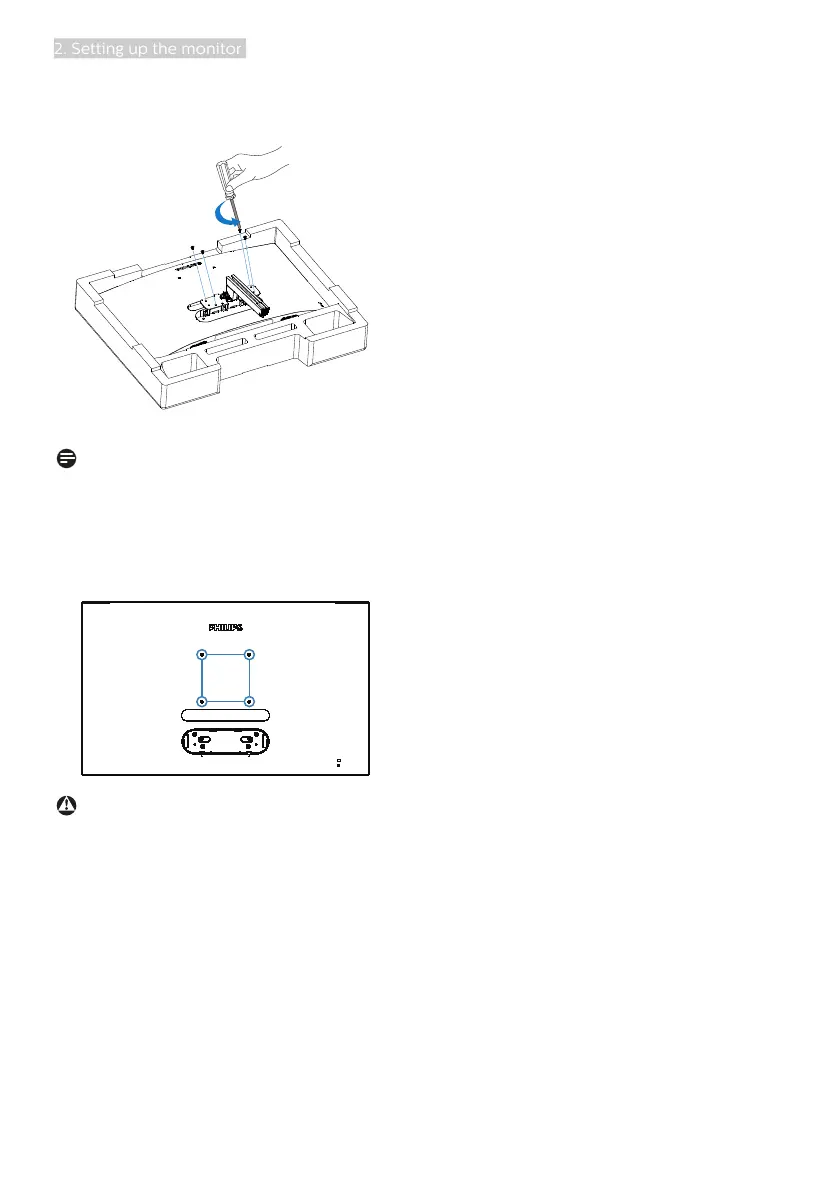
4. Use a screwdriver to remove the
screws on the arm, and then detach
the arm/stand from the monitor.
Note
This monitor accepts a 100mm x 100mm
VESA-Compliant mounting interface.
VESA Mounting Screw M4. Always
contact manufacturer for wall-mount
installation.
100mm
100mm
Warning:
This product is curve design, when
attach / detach the base, place the
protective material under the monitor
and do not press down the monitor to
avoid the damage.








 To Next Page