This document serves as a comprehensive user guide for the Philips E Line 327E8 monitor, providing essential information on its operation, maintenance, and troubleshooting. It is designed to help users maximize their viewing experience and ensure the longevity of the device.
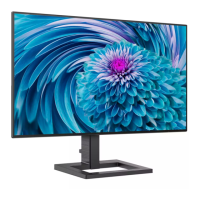
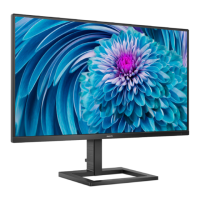
The Philips E Line 327E8 monitor is an electronic display device primarily used for connecting to personal computers, workstations, and Macs. Its main function is to display visual content from a connected source, offering a range of features to optimize image quality and user comfort.
Usage features:
The monitor is equipped with an On-Screen Display (OSD) menu, which is a key feature allowing users to adjust various screen performance settings and select functions directly through an intuitive on-screen interface. The OSD menu is accessed via a single toggle button located on the backside of the display bezel, which operates like a joystick for navigation and selection.
Key OSD menu categories include:
- LowBlue Mode: This feature is designed for eye comfort during extended use. Studies indicate that shortwave blue light from LED displays can cause eye damage and affect vision over time. Philips LowBlue Mode uses smart software technology to reduce harmful shortwave blue light, making it easier on the eyes, especially for productivity tasks.
- Input: Allows users to select the desired signal input source, such as VGA, HDMI, or DisplayPort.
- Picture: Offers extensive controls for image quality. Users can adjust brightness, contrast, sharpness, and select from various picture formats (Wide screen, 4:3). It also includes SmartResponse for faster response times, SmartContrast for dynamic contrast optimization, and SmartFrame for specific area adjustments. Gamma settings (1.8, 2.0, 2.2, 2.4, 2.6) and Pixel Orbiting (On, Off) are also available.
- Audio: Provides controls for volume, mute, and audio source selection (Audio In, HDMI, DisplayPort). It also features a Stand-Alone mode.
- Color: Enables users to customize color settings. Options include predefined Color Temperatures (Native, 5000K, 6500K, 7500K, 8200K, 9300K, 11500K) and sRGB. A "User Define" option allows for individual adjustment of red, green, and blue color components. Color temperature settings influence the "warmth" or "coolness" of the display, with lower Kelvin temperatures appearing red-white and higher temperatures appearing blue-white. sRGB is a standard setting for consistent color exchange between different devices.
- OSD Settings: This section allows customization of the OSD menu itself, including horizontal and vertical position, transparency, and OSD Time Out (5s, 10s, 20s, 30s, 60s).
- Setup: Contains advanced settings such as Auto adjustment, H.Position, V.Position, Phase, Clock, Resolution Notification (On, Off), and Reset to factory settings.
- Information: Displays monitor information.
SmartImage: This exclusive Philips technology optimizes display for different content types by dynamically adjusting brightness, contrast, color, and sharpness in real time. Users can select from various presets:
- FPS (First Person Shooters): Enhances dark theme black level details for gaming.
- Racing: Provides faster response times and high color saturation for racing games.
- RTS (Real Time Strategy): Allows highlighting a user-selected portion of the screen (via SmartFrame) and adjusting picture quality for that area.
- Gamer 1 & Gamer 2: Customizable settings where users can save their preferred display configurations.
- LowBlue Mode: As described above, for eye comfort.
- Off: Disables SmartImage optimization.
SmartContrast: This unique technology dynamically analyzes displayed content and automatically optimizes the LCD monitor's contrast ratio. It steps up backlighting for clearer, crisper, and brighter images or dims backlighting for clear display of images on dark backgrounds. This function enhances contrast for entertainment and provides clear, readable text for office work, while also reducing power consumption and extending monitor lifetime.
FreeSync™ Technology: The monitor supports AMD FreeSync™ technology, which addresses "tearing" and "jerky" images in PC gaming. By allowing the GPU to update the monitor the moment a new picture is ready, FreeSync™ ensures smooth, responsive, and tearing-free gaming. This feature is compatible with specific AMD Radeon R9 290/300 Series & R7 260 Series graphic cards and Processor A-Series Desktop and Mobility APUs, and requires Windows 10/8.1/8/7 operating systems.
Physical Adjustments: The monitor offers a tilt function, allowing adjustment from -5 degrees downward to +20 degrees upward for ergonomic viewing. It also supports VESA mounting (75mm x 75mm) for wall-mount installations, requiring the removal of the base assembly.
Power Management: The monitor is VESA DPM compliant, automatically reducing power consumption when not in use. It "wakes up" upon detecting input from a keyboard, mouse, or other input device. Power consumption varies between Active, Sleep (Standby), and Off modes, with the Power LED indicating the current status (White for Active, blinking White for Sleep).
Maintenance features:
Safety Precautions:
- Keep the monitor away from direct sunlight, strong bright lights, and heat sources to prevent discoloration and damage.
- Avoid oil contact, as it can damage plastic parts and void the warranty.
- Ensure ventilation holes are not blocked to prevent overheating.
- Position the monitor so the power plug and outlet are easily accessible.
- When disconnecting the power cable, wait 6 seconds before reattaching for normal operation.
- Use only Philips-approved power cords.
- Operate with the specified power supply to prevent malfunction, fire, or electric shock.
- Protect cables from pulling, bending, or heavy objects to avoid fire or electric shock.
- Avoid severe vibration or high impact during operation.
- Do not tilt the monitor downward by more than -5 degrees to prevent panel peeling and damage, which is not covered under warranty.
- Do not knock or drop the monitor.
Eye Comfort:
- Take regular breaks (5-10 minutes after 50-60 minutes of continuous use) to reduce eye discomfort.
- Look at varying distances, blink consciously, and gently close/roll eyes to relax.
- Adjust screen height and angle, brightness, contrast, and environmental lighting to match screen brightness. Avoid fluorescent lighting and highly reflective surfaces.
- Consult a doctor if experiencing symptoms of eye strain.
Cleaning:
- The screen can be wiped with a dry cloth when off.
- Never use organic solvents like alcohol or ammonia-based liquids.
- For extensive cleaning of the LCD surface, use isopropyl alcohol. Avoid ethyl alcohol, ethanol, acetone, hexane, etc.
- If the monitor gets wet, wipe it with a dry cloth immediately.
- If foreign substances or water enter the monitor, turn off power, disconnect the cord, remove the substance/water, and send it to a maintenance center.
Storage and Usage Environment:
- Do not store or use the monitor in locations exposed to heat, direct sunlight, or extreme cold.
- For optimal performance and longevity, use the monitor within a temperature range of 0-40°C (32-104°F) and humidity of 20-80% RH.
Screen Saver and Static Images:
- Always activate a moving screen saver program when leaving the monitor unattended.
- Activate a periodic screen refresh application if the monitor displays unchanging static content.
- Uninterrupted display of still or static images over extended periods can cause "burn-in," "after-imaging," or "ghost imaging." While these often disappear gradually, severe cases may not be repairable and are not covered under warranty.
Service and Repair:
- The casing cover should only be opened by qualified service personnel.
- For repair or integration documentation, contact the local service center.
- Do not leave the monitor in a car/trunk under direct sunlight during transportation.
- Consult a service technician if the monitor does not operate normally or if unsure about procedures after following manual instructions.
Pixel Defect Policy: Philips guarantees repair or replacement if the number of pixel defects on the TFT Monitor panel exceeds acceptable levels. This policy defines different types of pixel defects (bright dots, black dots) and their tolerances, including proximity of defects.
Warranty: For warranty coverage and support, users should visit the Philips website or contact their local Philips Customer Care Center. Extended warranty packages are available through Certified Service Centers, provided they are purchased within 30 calendar days of the original purchase date. Proof of original purchase and extended warranty purchase is required.

 Need help?
 General




 To Next Page