Control panel and display
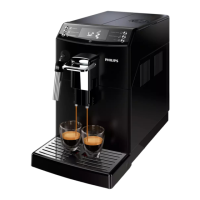
This espresso machine has a self-explaining display for easy use. Read the
sections below for a quick explanation of the buttons.
One-touch beverage buttons
Use the one-touch beverage buttons to quickly prepare one of the preset
beverages: ESPRESSO, ESPRESSO LUNGO, STEAM/WATER and CLASSIC
COFFEE.
Navigation buttons
Some of the one-touch beverage buttons have a double function; use these
buttons to navigate through the menu.
ESPRESSO button = Escape
button: press this button to return
to the main menu.
CLASSIC COFFEE button = Up
button: press this button to scroll
up through the display.
STEAM/WATER button = OK
button: press this button to select,
confirm or stop a function.
MENU button = Down button:
press this button to scroll down
through the display menu.
MENU button
Use the MENU button to change the following settings:
-
Coffee temperature
-
Stand-by time: this is the time after which the machine goes into standby
mode.
-
Display contrast
-
Water hardness: to be able to adjust the machine settings to the water in
your region, please measure the water hardness.
-
To activate the AquaClean filter
-
To start descaling
-
To restore to the factory settings
AROMA STRENGTH button
Use the AROMA STRENGTH button to adjust the coffee strength or to brew
pre-ground coffee.
CoffeeSwitch
Thanks to the innovative CoffeeSwitch technology, the machine allows you
to brew two types of coffee by changing the brewing pressure at the flip of a
lever. You can increase the pressure for a perfect espresso or decrease it for
a delicate classic coffee.
9
English









 To Next Page