11
English
3139 115 21281
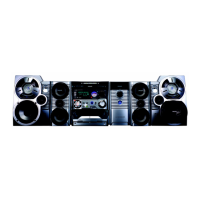
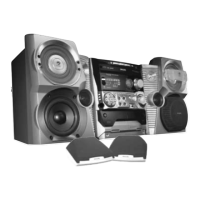
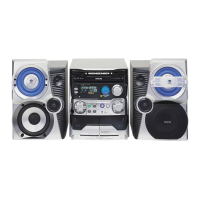
Controls (main system’s illustration on page 3)
Controls on the system and
remote control
1 ECO POWER
– to switch the system on or to Eco Power
Standby mode.
2 STANDBY ON y
– to switch the system on or to Standby mode.
3 DISPLAY SCREEN
– to view the current status of the system.
4 DISC TRAYS
5 DISC CHANGE
– to change disc(s).
6 DISC 1 / DISC 2 / DISC 3
– to select a disc tray for playback.
7 OPEN•CLOSE
– to open or close the disc tray.
8 INTERACTIVE VU METER
– to show the VU (volume unit) meter in music or
volume mode depending on the display mode
selected.
9 VOLUME
– to increase or decrease the volume.
0 Tape Deck Operation
AUTO REPLAY
– to select continuous playback in either AUTO
PLAY or ONCE mode only.
DUBBING
– to dub a tape.
REC
– to start recording on tape deck 2.
! SOUND NAVIGATION
– to select the desired sound feature : DSC or
VAC.
@ JOG CONTROL
– to select the desired sound effect for the
selected sound feature.
DSC .................. DIGITAL, ROCK, POP, NEWAGE,
CLASSIC or ELECTRIC.
VAC .................. HALL, CONCERT, CINEMA,
DISCO, ARCADE or CYBER.
# INCREDIBLE SURROUND (IS)
– to activate or deactivate the surround sound
effect.
$ wOOx ON•OFF
– to select enhanced or normal wOOx sound
effect.
wOOx LEVEL
– to select a desired wOOx level : WOOX 1,
WOOX 2 or WOOX 3.
% MIC/LEVEL
– to connect microphone jack.
– to adjust the mixing level for karaoke or
microphone recording.
^ ç
– to open the tape deck door.
& TAPE DECK 2
* TAPE DECK 1
( SOURCE – to select the following:
VCD PAL/NTSC / (CD 1•2•3)
– to select disc tray 1, 2 or 3 (this system can
playback normal CD/VCD/MP3-CD format
disc).
– (on the system only) to select corresponding
video output for NTSC or PAL system of your
TV set (except Multi-system TV).
TUNER / (BAND)
– to select waveband : FM or MW.
TAPE / (TAPE 1• 2)
– to select tape deck 1 or 2.
AUX / (CDR/DVD)
– to select a connected external source :
CDR/DVD or AUX (auxiliary) mode.
pg 001-035/V795/21-Eng 4/16/02, 6:42 PM11



 To Next Page