23EN
USB playability information
Compatible USB devices:
• USB ash memory (USB 2.0 or USB
1.1)
• USB ash players (USB 2.0 or USB 1.1)
• memory cards (requires an additional
card reader to work with this unit)
Supported formats:
• USB or memory le format FAT12,
FAT16, FAT32 (sector size: 512 bytes)
• MP3 bit rate (data rate): 32-320 Kbps
and variable bit rate
• Directory nesting up to a maximum of
8 levels
• Number of albums/ folders: maximum
99
• Number of tracks/titles: maximum 999
• ID3 tag v2.0 or later
• File name in Unicode UTF8 (maximum
length: 128 bytes)
Unsupported formats:
• Empty albums: an empty album is an
album that does not contain MP3/
WMA les, and is not be shown in the
display.
• Unsupported le formats are skipped.
For example, Word documents (.doc)
or MP3 les with extension .dlf are
ignored and not played.
• AAC, WAV, PCM audio les
• DRM protected WMA les (.wav, .m4a,
.m4p, .mp4, .aac)
• WMA les in Lossless format
Supported MP3 disc formats
• ISO9660, Joliet
• Maximum title number: 999 (depending on
le name length)
• Maximum album number: 99
• Supported sampling frequencies: 32 kHz,
44.1kHz, 48 kHz
• Supported Bit-rates: 32-320 (kbps),
variable bit rates
• ID3 tag v2.0 or later
• Directory nesting up to a maximum of 8
levels
Maintenance
Clean the cabinet
• Use a soft cloth slightly moistened with
a mild detergent solution. Do not use a
solution containing alcohol, spirits, ammonia
or abrasives.
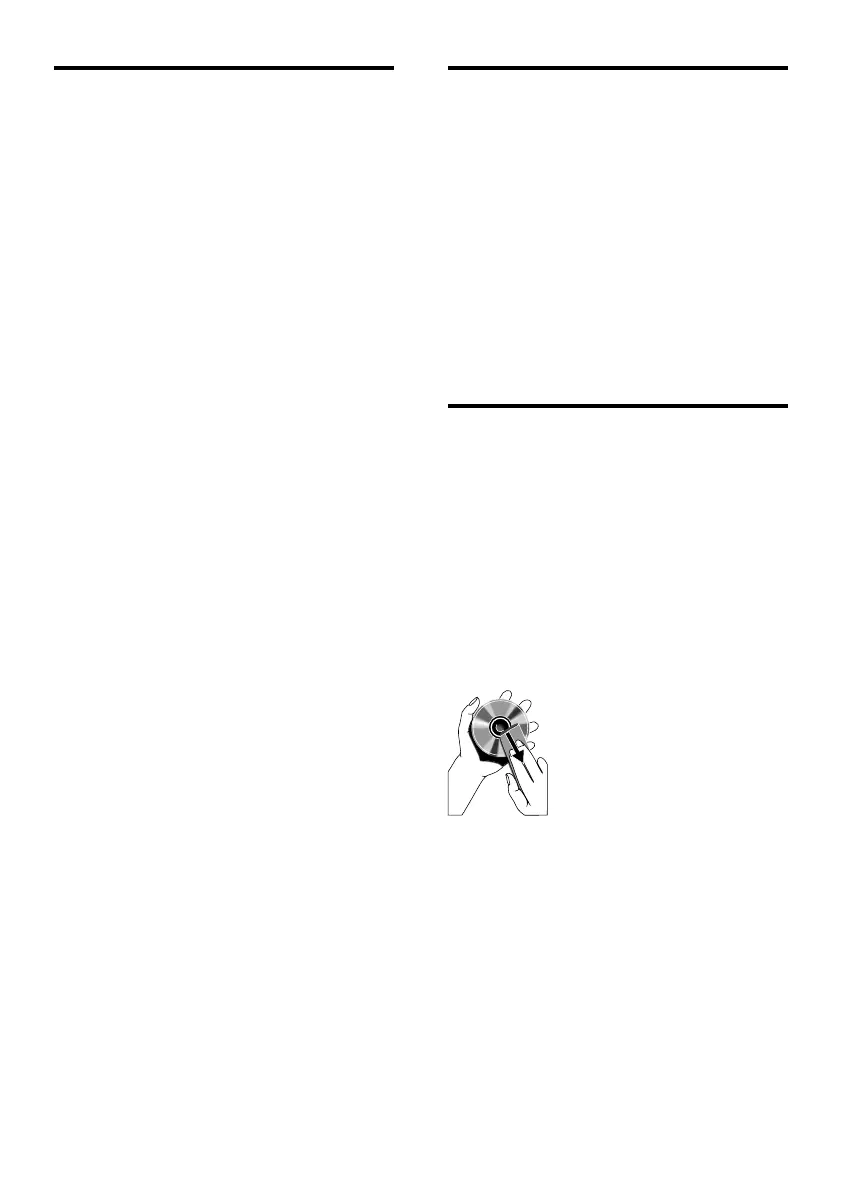
Clean discs
• When a disc becomes dirty, clean it with
a cleaning cloth. Wipe the disc from the
centre out.
• Do not use solvents such as benzene,
thinner, commercially available cleaners,
or antistatic spray intended for analogue
records.
Clean the disc lens
• After prolonged use, dirt or dust may
accumulate at the disc lens. To ensure good
play quality, clean the disc lens with Philips
CD lens cleaner or any commercially
available cleaner. Follow the instructions
supplied with cleaner.


 To Next Page