23
12 Troubleshooting
Caution
Never remove the casing of this Mini Hi-Fi.
To keep the warranty valid, never try to repair
the system yourself.
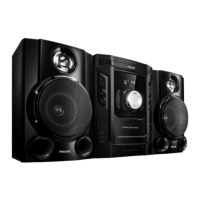
If you encounter problems when using this
Mini Hi-Fi, check the following points before
requesting service. If the problem remains
unsolved, go to the Philips web site (www.
Philips.com/support). When you contact Philips,
ensure that your Mini Hi-Fi is nearby and the
model number and serial number are available.
No power
Ensure that the AC power plug of the
Mini Hi-Fi is connected properly.
Ensure that there is power at the AC
outlet.
As a power-saving feature, the Mini Hi-Fi
switches to standby automatically 15
minutes after disc/USB play reaches the
end and no control is operated.
No sound or poor sound
Adjust the volume.
Check that the speakers are connected
correctly.
Check if the stripped speaker wires are
clamped.
Left and right sound outputs reversed
Check the speaker connections and
location.
No response from the Mini Hi-Fi
Disconnect and reconnect the AC power
plug, then turn on the system again.
Remote control does not work
Before you press any function button,
ÀUVWVHOHFWWKHFRUUHFWVRXUFHZLWKWKH
remote control instead of the main unit.
Reduce the distance between the remote
control and the Mini Hi-Fi.
Clean the disc lens
After prolonged use, dirt or dust may
accumulate at the disc lens. To ensure
good play quality, clean the disc lens
with Philips CD lens cleaner or any
commercially available cleaner. Follow the
instructions supplied with cleaner.
English
EN



 To Next Page