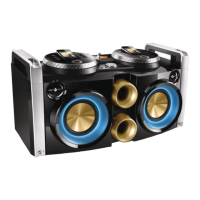
7
English
EN
c DISPLAY FLIP
• Reverse the text displayed on the
screen.
d
VOL
• Adjust headphone volume.
e
• Connect a headphone for monitoring.
f
OUTPUT A/B
• Switch headphone output between
audio source A and B.
g
(A/B)
• Connect a USB mass storage device.
h Play control keys
/
• Skip to the previous/next track.
• (Press and hold) tune to a radio
station.
ALBUM/PRESET
/TUNING
• Select a preset radio station.
• During USB play, skip to the previous/
next album.
• Start or pause play.
i Display panel
• Show current status.
j Volume knob
• Adjust speaker volume.
k MAX SOUND
• Turn on/off instant power boost.
l DBB
• Turn on/off dynamic bass
enhancement.
m
• Turn on the unit or switch to standby
mode.
n DSC
• Select a preset sound setting.
o FM
• Select the tuner source.
p CROSS FADER ASSIGN
• swap play between audio source A
and B.
q MP3 LINK(A/B)
• Connect an external audio device.
r Dock for iPod/iPhone(A/B)
s Source selection keys (A/B)
• Select a source: iPod/iPhone, USB or
MP3 LINK.
Overview of the remote
control
c
f
h
g
e
d
a
b
p
o
n
i
m
j
k
l
MODE



 To Next Page