
 Need help?
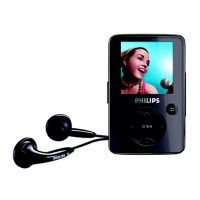
Do you have a question about the Philips GOGEAR SHOQBOX PSS231 and is the answer not in the manual?
Introduction to the ShoqBox player's features and capabilities.
Lists and describes the accessories included with the ShoqBox player.
Lists accessories that can be purchased separately for the ShoqBox.
Instructions and benefits of registering the ShoqBox product online.
Provides links and information on where to find additional support and resources.
Details the physical controls and connection ports of the ShoqBox device.
Guides the user through initial setup and basic operations.
Detailed steps for charging the ShoqBox battery.
Instructions for installing the necessary software for the ShoqBox on a PC.
Steps to connect the ShoqBox to a computer using the USB cable.
Explains how to transfer music files to the ShoqBox from a computer.
Instructions on how to turn the ShoqBox device on and off.
How to navigate and select music tracks for playback on the ShoqBox.
Guide on activating and using the demo mode to explore device features.
Steps to add music files to the Windows Media Player library.
Process of converting music tracks from an audio CD into digital files.
How to synchronize music and other content between the PC and the ShoqBox.
Step-by-step guide to configure automatic content synchronization.
Instructions for creating new playlists within Windows Media Player.
How to transfer created playlists to the ShoqBox device.
Steps to remove music tracks and playlists from the WMP library.
Alternative method to delete playlists using Windows Explorer.
Methods to search for specific music tracks within the WMP library.
Guide for setting alarm time using 12-hour format with AM/PM.
Guide for setting alarm time using 24-hour format.
How to configure the alarm's repeat schedule (daily, weekdays, weekend).
How to select a music track as the alarm sound.
How to select the buzzer sound as the alarm.
Information on auto-snooze, disabling snooze, and cancelling alarm sounds.
Solutions for when music files do not appear on the player after transfer.
Steps to resolve a frozen or unresponsive ShoqBox device.
Guide on using Philips Device Manager to repair the ShoqBox.
Explains why fewer songs might fit than expected and how to optimize space.
Steps to manually check for and install firmware updates for the ShoqBox.
Regulatory notices and compliance information for users in Canada.
Compliance statement regarding radio interference for the European Union.
Precautions to avoid damage and advice on cleaning the ShoqBox.
Recommended temperature ranges for operating and storing the ShoqBox.
Advice on listening at moderate volumes to protect hearing.
Warning against using headphones while driving or cycling.
Information about packaging materials and recycling.
Warning about unauthorized modifications to the device.
Technical specifications related to the ShoqBox's display.
Technical specifications related to the ShoqBox's audio output and amplifier.
Technical specifications for audio formats, bit rates, and sample rates supported.
Details about the ShoqBox's built-in memory capacity and type.
Specifications for the ShoqBox's connection ports (DC in, headphone, USB, line in).
Specifications related to the ShoqBox's power adapter, battery, and charging.
Lists the system requirements for installing ShoqBox software.
 General
| Brand | Philips |
|---|---|
| Model | GOGEAR SHOQBOX PSS231 |
| Category | MP3 Player |
| Language | English |









 To Next Page