5 Usingtheappliance
Tip
• The appliance comes with a certain
protection when opening or closing
the top lid. To avoid unexpected
operations on the control panel, it will
be turned off when the lid is open.
This is normal.
• To cancel an ongoing cooking process,
press , and the appliance
will be in standby mode.
Note
•
During the cooking process, if you
want to open and close the lid
(especially when there are a lot of
water in the inner pot), make sure to
slowly close it or wait for 1-2 minutes,
so that the steam disperses and the
pressure is released. This is to avoid
liquid in the inner pot being ejected
from the steam vent.
Beforerstuse
1
Take out all the accessories from the
inner pot, and remove all packaging
materials of it.
2
Clean the parts of the appliance
thoroughly before using it for the
rst time (see chapter "Cleaning and
Maintenance").
Note
•
Make sure all parts are completely dry
before you start using the appliance.
•
There is an on/off switch on the lower
right side of the appliance (next to the
power socket). Make sure to turn it to
the "
I
" position to switch it on before
cooking.
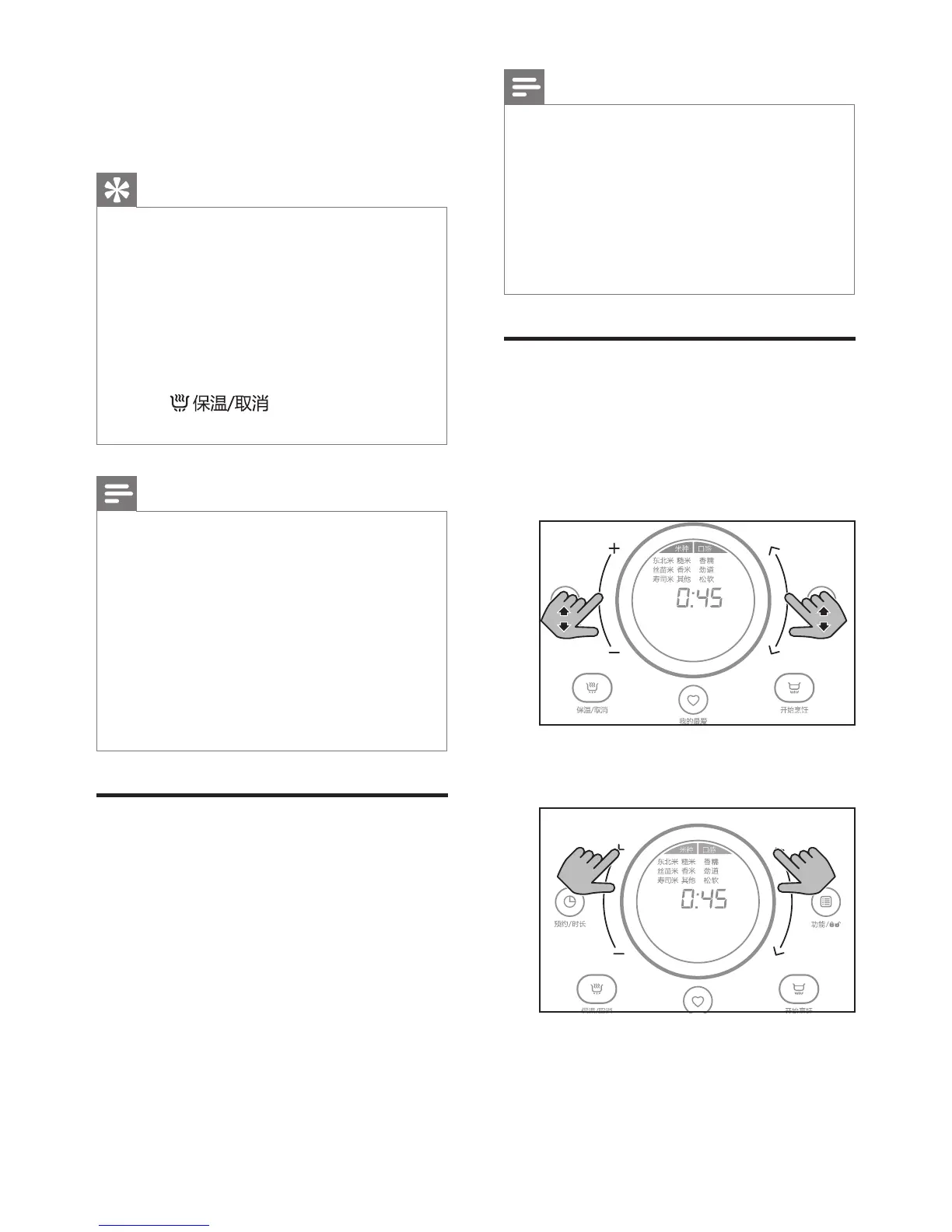
Threewaysofusingtheslider
bar
1
Slide: slide your nger up or down
the bar to choose different menus or
setting time.
滑动
滑动
Slide Slide
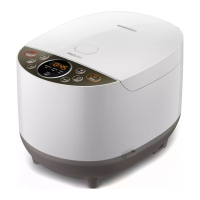
2
Tap: tap on the "+" or "-" to choose
different menus or setting time.
长按
长按
Tap Tap


 To Next Page