For more details, see chapter ‘Guarantee and support’, section ‘Ordering
maintenance products’.
Note: Replace the INTENZA+ filter after 2 months.
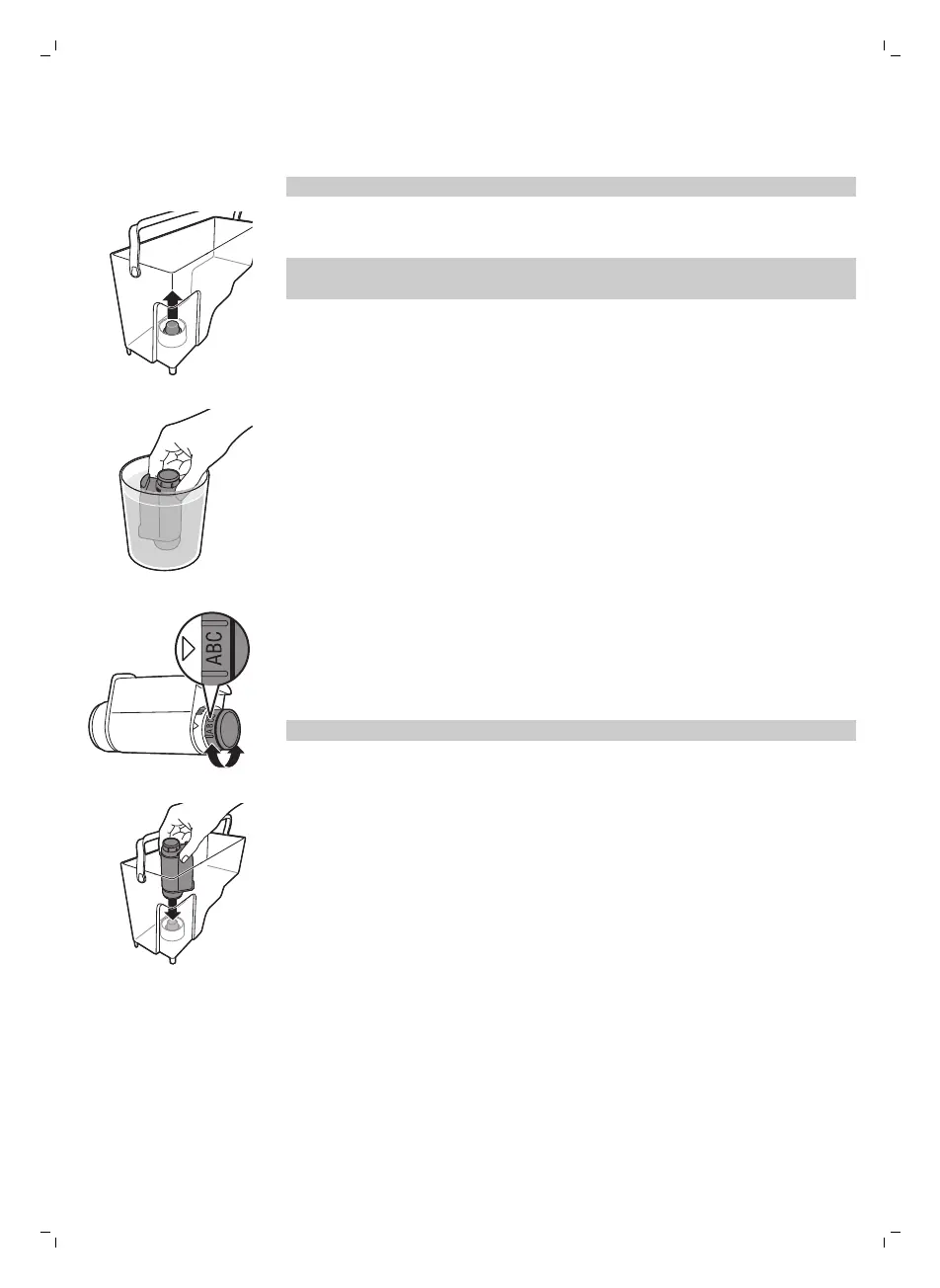
1 Remove the small white filter from the water tank and store it in a dry
place.
Note: Please keep the small white filter for future use. You will need it for
the descaling process.
2 Remove the filter from its packaging and immerse it in cold water with the
opening pointing upwards. Press the sides of the filter gently to let out
the air bubbles.
3 Turn the knob of the filter to the setting that corresponds to the water
hardness of the area you live in.
a Very soft water/ soft water
b Hard water
c Very hard water
Note: You can test the water hardness with a water hardness test strip.
4 Place the filter in the empty water tank. Press it down until it cannot
move any further.
5 Fill the water tank with fresh water up to the MAX indication and slide it
into the machine.
13
English



 To Next Page