EasyManua.ls Logo

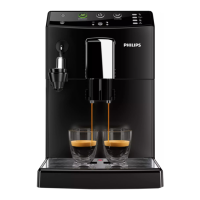
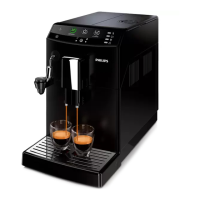
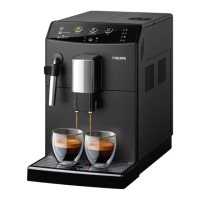
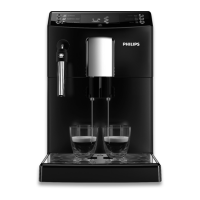
Philips HD8826 - User Manual

Philips HD8826
63 pages
Print Icon
To Next Page IconTo Next Page
Loading...
English
USER MANUAL
Read carefully before using the machine.
Register your product and get support at
www.philips.com/welcome
Super automatic espresso co ee machine
3100 series
EN
02
02
HD8826
HD8831

Table of Contents

Questions and Answers

  • M
    Margaret WilliamsAug 19, 2025
    How to make my Philips HD8826 Coffee Maker coffee hotter?
    • A
      anthony36Aug 20, 2025
      If your coffee is not hot enough, preheat the cups with hot water. You can also set the temperature as described in the 'Programming' chapter.
  • C
    Cindy CollinsAug 21, 2025
    Why does coffee leak out of the dispensing spout of my Philips HD8826 Coffee Maker?
    • P
      Paul OsborneAug 21, 2025
      Coffee may leak out of the dispensing spout because the dispensing spout is clogged. Clean the dispensing spout and its holes.
  • G
    Gregory WatsonAug 23, 2025
    What to do if the descaling cycle cannot be completed on my Philips HD8826 Coffee Maker?
    • A
      Amy VasquezAug 25, 2025
      If the descaling cycle cannot be completed because the water dispensed for the rinse cycle is not enough, press the on/off button and follow the instructions.
  • J
    Jessica HoustonAug 26, 2025
    Why does my Philips Coffee Maker not turn on?
    • P
      psotoAug 26, 2025
      If your Philips Coffee Maker does not turn on, ensure that the machine is connected to the electric network and that the power button is in the “I” position.
  • X
    xbensonAug 28, 2025
    Why is the coffee from my Philips HD8826 too weak?
    • A
      Adrian MillsAug 28, 2025
      The coffee from your Philips Coffee Maker might be too weak because the machine is automatically adjusting the dose. Brew a few cups of coffee as described in the “Saeco Adapting System” chapter.
  • M
    manuel07Aug 29, 2025
    What to do if my Philips HD8826 is brewing coffee slowly?
    • A
      Allen BaldwinAug 29, 2025
      If your Philips Coffee Maker is brewing coffee slowly, it could be due to several reasons. The coffee grind may be too fine, the dispensing spout may be dirty, the brew group could be dirty, or the machine circuit might be clogged by limescale. Clean the dispensing spout and its holes and descale the machine. Also, consider changing the coffee blend or adjusting the grinding. Priming the circuit might also help.
  • N
    nwarnerAug 31, 2025
    Why is no hot water or steam dispensed from my Philips Coffee Maker?
    • M
      Monique EscobarAug 31, 2025
      If no hot water or steam is dispensed from your Philips Coffee Maker, the hole of the steam/hot water wand may be clogged. Clean the hole of the steam wand using a pin. Also, the machine circuit may be clogged by limescale, so descale the machine. Priming the circuit might also help.
  • V
    vromeroSep 2, 2025
    Why is the red icon always displayed on my Philips HD8826 Coffee Maker?
    • I
      ilopezSep 2, 2025
      The red icon might be displayed because the coffee grounds drawer was emptied while the machine was off. The coffee grounds drawer must always be emptied with the machine on. Wait until the icon is displayed before refitting the drawer. Also, if the coffee grounds drawer has been emptied with the machine on without waiting at least 5 seconds before inserting it back, wait until the icon is displayed before refitting the drawer.
  • M
    Marcus SampsonSep 4, 2025
    What to do if my Philips HD8826 shows Error Code 5?
    • H
      hahndavidSep 4, 2025
      If your Philips Coffee Maker displays Error Code 5, it indicates a water circuit error. This can be due to air in the water circuit. To resolve this, remove and reinsert the water tank a few times, ensuring it's properly reinserted and that the water tank compartment is clean. If the Intenza+ filter is installed, remove it, turn the machine off and on, and then reinsert the filter when the machine is ready.
  • A
    Andrew DaySep 6, 2025
    What to do if the brew group cannot be removed from my Philips Coffee Maker?
    • E
      ellisdustinSep 6, 2025
      If the brew group cannot be removed, turn on the machine and close the service door so that the brew group automatically returns to the initial position. Also, remove the coffee grounds drawer before removing the brew group.

Philips HD8826 Specifications

General IconGeneral
Appliance placementCountertop
Product typeEspresso machine
Water tank capacity1.8 L
Maximum operating pressure15 bar
Coffee beans capacity250 g
Built-in grinderYes
Adjustable grinder settingsYes
Number of grinder settings5
Milk tankNo
Hot water systemYes
Adjustable coffee strengthYes
Adjustable coffee volumeYes
Adjustable temperatureYes
Pre-brew aroma controlYes
Self-cleaningYes
Removable brewing unitYes
Removable water tankYes
Cord length0.8 m
ColourBlack
Milk FrotherNo
ProgrammableYes
Removable Drip TrayYes
Auto Shut-offYes
Width21 cm
Depth43 cm

Related product manuals