EasyManua.ls Logo

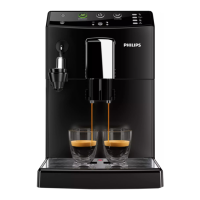
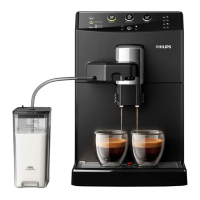
Philips HD8828 - User Manual

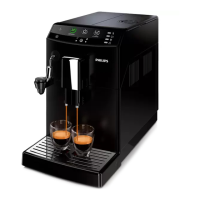
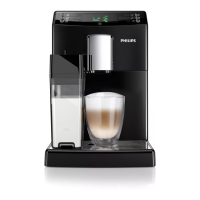
Philips HD8828
88 pages
Print Icon
To Next Page IconTo Next Page
Loading...
English
Register your product and get support at
www.philips.com/welcome
USER MANUAL
Read carefully before using the machine.
Super automatic espresso co ee machine
3100 series
EN
02
02
HD8828
HD8834

Table of Contents

Other manuals for Philips HD8828

Questions and Answers

  • S
    spencerbrianSep 10, 2025
    Why is my Philips HD8828 not dispensing hot water?
    • T
      Teresa BrockSep 12, 2025
      If the Philips Coffee Maker is not dispensing hot water, the circuit may not be primed or the machine circuit may be clogged by limescale. Prime the circuit or descale the machine to resolve this.
  • L
    Leah MontgomeryAug 23, 2025
    What to do if the red icon is always on my Philips HD8828 Coffee Maker?
    • W
      william37Aug 23, 2025
      If the red icon is always displayed on your Philips Coffee Maker, it might be because the coffee grounds drawer was emptied while the machine was off or you didn't wait long enough before reinserting it. Always empty the coffee grounds drawer when the machine is on and wait for the icon to appear before putting the drawer back in.
  • J
    James JacksonAug 25, 2025
    Why is my Philips Coffee Maker brewing coffee slowly?
    • L
      Laura MayAug 25, 2025
      If coffee is not brewing, brews slowly, or only a few drops come out of your Philips Coffee Maker, it could be due to several reasons. The coffee grind might be too fine, the circuit may not be primed, the brew group or dispensing spout could be dirty, or the machine circuit might be clogged with limescale. To resolve this, you can change the coffee blend or adjust the grind, prime the circuit, clean the brew group, clean the dispensing spout and its holes, or descale the machine.
  • B
    Bryan JimenezAug 27, 2025
    How to fix coffee leaking from the dispensing spout of my Philips HD8828 Coffee Maker?
    • L
      Linda RosalesAug 27, 2025
      If your Philips Coffee Maker is dispensing coffee that leaks out of the spout, it is likely that the dispensing spout is clogged. Clean the dispensing spout and its holes to resolve this issue.
  • A
    Anna PerezAug 28, 2025
    How to make coffee hotter in my Philips HD8828 Coffee Maker?
    • J
      Joseph NorrisAug 28, 2025
      If the coffee from your Philips Coffee Maker is not hot enough, preheat the cups with hot water. Additionally, ensure that the temperature setting is correctly adjusted.
  • M
    Michael BryanAug 29, 2025
    What to do if the descaling cycle cannot be completed on Philips HD8828 Coffee Maker?
    • B
      Brian TannerAug 29, 2025
      If the descaling cycle of your Philips Coffee Maker cannot be completed, and the water dispensed for the rinse cycle is insufficient, press the on/off button and follow the instructions.
  • P
    Patricia DelgadoSep 18, 2025
    How to improve crema on Philips HD8828 Coffee Maker?
    • A
      Austin JamesSep 18, 2025
      If the coffee from your Philips Coffee Maker does not have enough crema, you may need to change the coffee blend, ensure the coffee is freshly roasted, or adjust the grind setting.
  • M
    Martha HallSep 12, 2025
    What does error code 1 mean on Philips HD8828?
    • P
      Paul FrySep 12, 2025
      If your Philips Coffee Maker displays Error Code 1 because the coffee grinder is blocked, thoroughly clean the coffee outlet duct.
  • M
    Marie ConradSep 8, 2025
    How to turn off demo mode on Philips HD8828 Coffee Maker?
    • E
      Emily FitzgeraldSep 8, 2025
      If your Philips Coffee Maker is in demo mode, turn the machine off and then back on using the power button.
  • G
    Gerald ElliottSep 5, 2025
    What does Error Code 3-4 mean on Philips HD8828 Coffee Maker?
    • M
      Michael ObrienSep 5, 2025
      If your Philips Coffee Maker displays Error Code 3-4 and the brew group is blocked, close the service door, turn the machine off and then back on. This will automatically return the brew group to its initial position.

Summary

Important Safeguards and Cautions

Safety Precautions

Lists essential safety measures to follow when using the appliance to prevent injury or damage.

Power Supply Cord Instructions

Provides guidelines for the safe use and handling of the power supply cord.

Preparing the Machine for First Use

Initial Machine Setup and Priming

Guides the user through priming the machine's internal circuit before first use.

Automatic and Manual Rinse Cycles

Details the automatic rinse and self-cleaning cycle, and the manual rinse procedure.

Water Hardness and Filter Management

Brewing Coffee Beverages

Brewing Espresso with Coffee Beans

Step-by-step guide for brewing espresso or long espresso using whole coffee beans.

Brewing Espresso with Pre-Ground Coffee

Instructions for brewing espresso or long espresso using pre-ground coffee.

Using the Milk Carafe

Brewing a Cappuccino

Frothing Milk

Dispensing Hot Water

Cleaning and Maintenance Schedule

Daily Cleaning of the Machine

Routine daily cleaning procedures for the coffee machine's exterior and internal components.

Daily Cleaning of the Milk Carafe

Instructions for daily cleaning of the milk carafe to ensure hygiene and frothing quality.

Weekly Cleaning of the Brew Group

Procedure for weekly cleaning and maintenance of the machine's brew group.

Descaling the Machine

Preparation for Descaling

Steps to prepare the machine and environment before starting the descaling process.

Descaling Process Execution

Execution of the descaling cycle, including dispensing the solution.

Rinse Phase After Descaling

Instructions for rinsing the machine after the descaling cycle is completed.

Display Icon and Signal Guide

Troubleshooting Common Issues

Factory Settings and Beverage Adjustments

Philips HD8828 Specifications

General IconGeneral
ColorBlack
Pump Pressure15 bar
Integrated Milk SystemNo
Adjustable Coffee StrengthYes
Programmable Auto On/OffYes
Rinse and Clean AlertYes
Descaling AlertYes
Weight7.2 kg
Brewing Units1
TypeEspresso machine

Related product manuals