70
ENGLISH
YellowGreenYellowYellow
Factory Settings
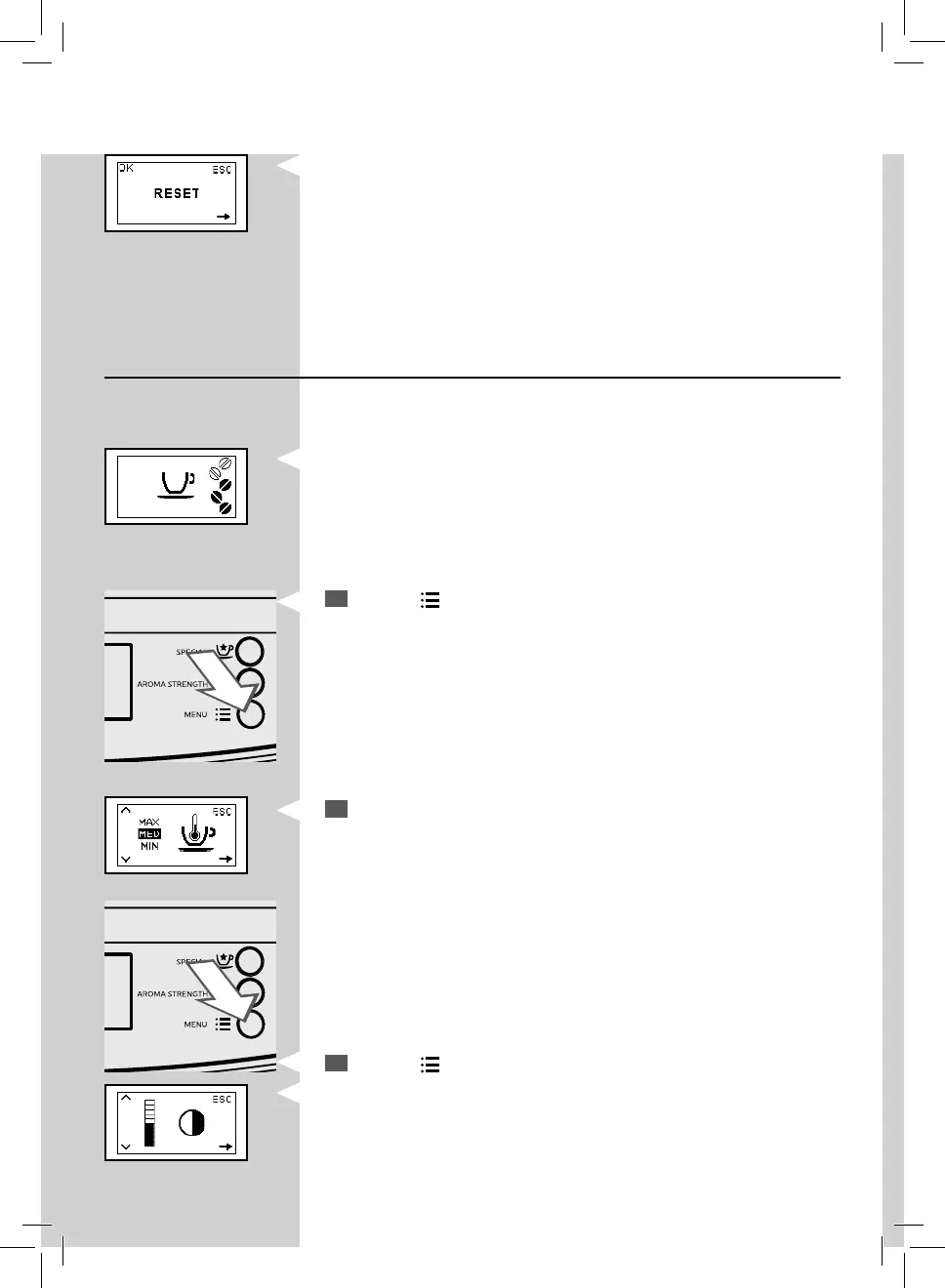
This function allows you to reset all factory values.
How to Program the Machine
This example shows how to program the display contrast. Proceed in the
same way to program the other functions.
The programming menu can only be accessed when the machine is on and
shows this display.
1
Press the “ ” button to access programming.
2
The main screen will be displayed.
3
Press the “ ” button to scroll the options until the display contrast
function is shown.


 To Next Page