EasyManua.ls Logo

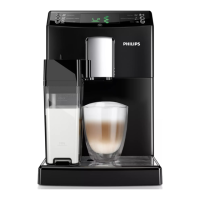
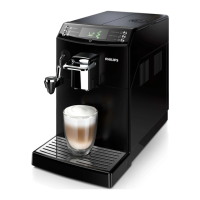
Philips HD8844 - User Manual

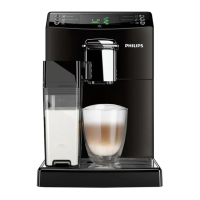
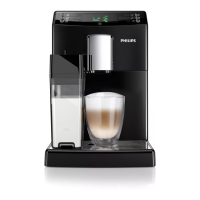
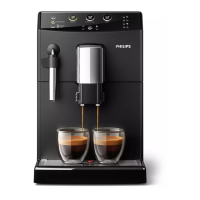
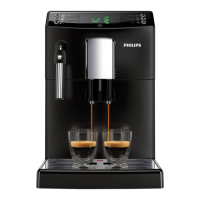
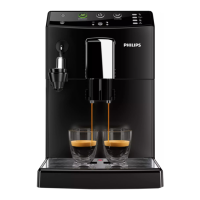
Philips HD8844
84 pages
Print Icon
To Next Page IconTo Next Page
Loading...
English
Read carefully before using the machine.
Register your product and get support at
www.philips.com/welcome
Super automatic espresso co ee machine
4000 series
USER MANUAL
HD8844
02
EN
02

Table of Contents

Other manuals for Philips HD8844

Questions and Answers

  • K
    Katherine CollinsSep 23, 2025
    Why was the selected product not saved on my Philips HD8844?
    • B
      Brandi HollowaySep 23, 2025
      If the selected product was not saved on your Philips Coffee Maker, you exited the setting of the product via the “ ” icon. You need to confirm and save the desired product quantity via the “ ” icon.
  • A
    Andrew TaylorAug 25, 2025
    What to do if coffee leaks from the Philips HD8844 dispensing spout?
    • R
      Rhonda HendersonAug 25, 2025
      If coffee leaks out of the coffee dispensing spout of your Philips Coffee Maker, the spout is likely clogged. Clean the coffee dispensing spout and its holes.
  • T
    tina57Aug 25, 2025
    How to fix a Philips HD8844 Coffee Maker that does not turn on?
    • L
      Leon HallAug 26, 2025
      If your Philips Coffee Maker doesn't turn on, ensure it's properly connected to the electric network and that the power button is switched to the “I” position.
  • I
    Ian StokesAug 27, 2025
    Why milk does not froth in my Philips HD8844?
    • J
      Jacob OneillAug 27, 2025
      If the milk does not froth in your Philips Coffee Maker, the Automatic Milk Frother might be inserted too deep, preventing milk suction. Allow the frother to cool, move it slightly downwards, and reposition it correctly.
  • M
    Megan SchneiderAug 27, 2025
    How to make coffee hotter in my Philips HD8844 Coffee Maker?
    • S
      Steve Anderson DDSAug 27, 2025
      If the coffee from your Philips Coffee Maker isn't hot enough, preheat the cups with hot water before brewing.
  • A
    adamstimothySep 15, 2025
    What to do if my Philips HD8844 Coffee Maker shows Error Code 3-4?
    • R
      rowenSep 15, 2025
      If your Philips Coffee Maker displays Error Code 3-4 and the brew group is blocked, close the service door, turn the machine off and then back on. This will automatically return the brew group to its initial position.
  • H
    hayslisaSep 12, 2025
    What to do if the selected product was not desaved on Philips Coffee Maker?
    • M
      Meredith MayerSep 13, 2025
      To resolve this issue with Philips Coffee Maker, you need to confirm and save the desired product quantity via the “ ” icon.
  • T
    Taylor CastilloSep 14, 2025
    How to resolve Error Code 5 on my Philips HD8844 Coffee Maker?
    • R
      Ronald PorterSep 14, 2025
      If your Philips Coffee Maker displays Error Code 5, it indicates a water circuit error. This can be due to air in the water circuit. To resolve this, remove and reinsert the water tank a few times, ensuring it's properly seated and that the compartment is clean. If you have an Intenza+ filter installed, remove it, turn the machine off and back on, and then reinsert the filter when prompted.
  • M
    Michael PhamSep 5, 2025
    What does error code 3-4 mean on my Philips HD8844?
    • I
      Ian BradleySep 5, 2025
      If your Philips Coffee Maker displays Error Code 3-4 and the brew group is blocked, close the service door, turn the machine off and back on. The brew group will automatically return to its initial position.
  • J
    jchavezSep 2, 2025
    Why is no hot water or steam dispensed from my Philips Coffee Maker?
    • J
      John ColemanSep 3, 2025
      If no hot water or steam is dispensed from your Philips Coffee Maker, it could be due to several reasons. First, the hole of the steam/hot water wand might be clogged; clean it using a pin, ensuring the machine is off and cooled down beforehand. Second, the circuit might not be primed; prime it. Finally, the machine circuit could be clogged by limescale.

Summary

IMPORTANT SAFEGUARDS AND CAUTIONS

Safety Precautions

Basic safety precautions to follow when using electrical appliances.

INSTALLATION AND SETUP

Machine Installation Steps

Step-by-step instructions for setting up and installing the coffee machine.

FIRST TIME USE AND CONFIGURATION

INTENZA+ Water Filter Installation and Replacement

Guide to installing, replacing, and resetting the INTENZA+ water filter.

MACHINE ADJUSTMENTS

Adjusting Ceramic Coffee Grinder

Guide to adjusting the coffee grinder for desired grind fineness.

Adjusting Aroma and Coffee Length

How to adjust the coffee strength and program beverage length.

CLEANING AND MAINTENANCE

Daily Cleaning Procedures

Daily cleaning tasks for the machine, including drawers and trays.

Automatic Milk Frother Cleaning

Daily and monthly cleaning procedures for the automatic milk frother.

DESCALING PROCESS

Preparation and Descaling Phases

Steps for preparing the machine and executing the descaling cycle.

Rinse Phase and Cycle Interruption

Procedure for rinsing the machine and interrupting the descaling cycle.

PROGRAMMING AND SETTINGS

DISPLAY ICONS AND TROUBLESHOOTING

Troubleshooting Common Problems

Table listing common machine problems, causes, and solutions.

Philips HD8844 Specifications

General IconGeneral
ModelHD8844
Appliance placementCountertop
ColorBlack
AC input voltage230 V
AC input frequency50 Hz
Water Tank Capacity1.8 L
Coffee Bean Container Capacity250 g
Pump Pressure15 bar
Built-in grinderYes
Adjustable grinder settingsYes
Number of grinder settings5
Milk tankNo
Hot water systemYes
Number of spouts2
Adjustable coffee spout heightYes
Control typeButtons
Built-in displayYes
Display typeLCD
Removable brewing unitYes
Removable water tankYes
Removable drip trayYes
Special FeaturesAquaClean filter
Coffee Input TypeCoffee beans

Related product manuals