EasyManua.ls Logo

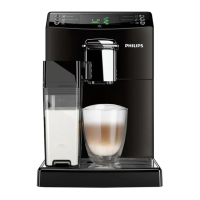
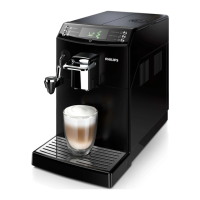
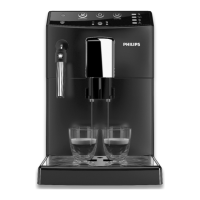
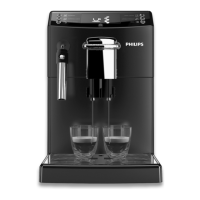
Philips HD8841 - User Manual

Philips HD8841
72 pages
Print Icon
To Next Page IconTo Next Page
Loading...
USER MANUAL
Read carefully before using the machine.
Register your product and get support at
www.philips.com/welcome
English
Super automatic espresso co ee machine
4000 series
HD8841
HD8842
EN
02
02

Table of Contents

Other manuals for Philips HD8841

Questions and Answers

  • G
    Gail SpencerAug 18, 2025
    Why Philips Espresso coffee machine does not turn on?
    • L
      Lindsay BakerAug 18, 2025
      If your Philips Espresso coffee machine does not turn on, ensure it is properly connected to the electrical network and that the power button is switched to the 'I' position.
  • A
    Andrea CarlsonAug 20, 2025
    Why is no coffee brewed in my Philips Espresso coffee machine?
    • D
      danny14Aug 20, 2025
      If no coffee is being brewed, the coffee is being brewed slowly, or it's coming out drop by drop from your Philips Espresso coffee machine, it could be due to several reasons: * The coffee grind might be too fine. * The circuit may not be primed. * The brew group could be dirty. * The dispensing spout may be dirty. * The machine circuit may be clogged by limescale. To resolve this, you may need to change the coffee blend, adjust the grinding, prime the circuit, clean the brew group, clean the dispensing spout and its holes, or descale the machine.
  • V
    Virginia Rogers MDAug 23, 2025
    Why is there no hot water from my Philips Espresso coffee machine?
    • T
      Thomas HardyAug 23, 2025
      If no hot water or steam is dispensed from your Philips Espresso coffee machine, it could be due to a clogged steam/hot water wand, a dirty Classic Milk Frother, an unprimed circuit, or limescale buildup in the machine circuit. Try cleaning the steam wand hole with a pin, cleaning the Classic Milk Frother, priming the circuit or descaling the machine.
  • J
    Jennifer WrightAug 26, 2025
    How to make coffee hotter with Philips Espresso coffee machine?
    • P
      Patricia WelchAug 26, 2025
      If the coffee from your Philips Espresso coffee machine is not hot enough, it could be because the cups are cold or the temperature is not correctly set. Preheat the cups with hot water and adjust the temperature setting.
  • J
    jgarciaAug 27, 2025
    Why does coffee leak from Philips Espresso coffee machine?
    • N
      Nicholas EllisAug 28, 2025
      If coffee leaks out of the dispensing spout of your Philips Espresso coffee machine, it is likely that the dispensing spout is clogged. Clean the dispensing spout and its holes.
  • J
    James MortonAug 30, 2025
    What to do if descaling cycle cannot be completed on Philips Espresso coffee machine?
    • J
      Jacob DayAug 30, 2025
      If the descaling cycle of your Philips Espresso coffee machine cannot be completed, it means that the water dispensed for the rinse cycle is not enough. Press the on/off button and follow the instructions described in the “Interruption of the Descaling Cycle” section.
  • E
    eduncanSep 1, 2025
    What to do if the brew group cannot be removed from Philips Espresso coffee machine?
    • A
      arthurgarrisonSep 1, 2025
      If the brew group of your Philips Espresso coffee machine cannot be removed, it may be out of place or the coffee grounds drawer might be inserted. To solve this, turn on the machine, close the service door (the brew group should return to its initial position automatically) and remove the coffee grounds drawer before attempting to remove the brew group.
  • P
    pgibsonSep 4, 2025
    What to do if Philips Espresso coffee machine shows Error Code 5?
    • T
      Teresa DunnSep 4, 2025
      If you are getting Error Code 5 on your Philips Espresso coffee machine, it indicates a water circuit error. This could be due to air in the water circuit. Try removing and reinserting the water tank a few times, ensuring it's properly placed and that the compartment is clean. If you have an Intenza+ filter installed, remove it, turn the machine off and on, and then reinsert the filter when the machine is ready.
  • C
    carterstephanieSep 6, 2025
    What to do if Philips Espresso coffee machine shows Error Code 3-4?
    • T
      Theresa ValentineSep 6, 2025
      If you are receiving Error Code 3-4 on your Philips Espresso coffee machine, it indicates that the brew group is blocked and cannot be pulled out. This is likely because the brew group is out of place. To resolve this, close the service door, turn the machine off and then back on. The brew group should automatically return to its initial position.
  • J
    Jimmy ReyesSep 8, 2025
    How to turn of demo mode in Philips Espresso coffee machine?
    • M
      Maria CaldwellSep 8, 2025
      If your Philips Espresso coffee machine is in demo mode, it is probably because the ' ' button was pressed and held for more than 8 seconds. Turn the machine off and back on using the power button.

Summary

IMPORTANT SAFEGUARDS

Safety Instructions

Key safety guidelines and warnings for using the machine safely.

Warnings

Specific warnings about potential hazards and precautions.

Cautions

Important precautions for safe and correct operation of the appliance.

INSTALLATION

PREPARING FOR USE

Machine Installation

Steps for correctly positioning and setting up the coffee machine.

USING THE MACHINE FOR THE FIRST TIME

MEASURING AND PROGRAMMING WATER HARDNESS

INTENZA+ WATER FILTER

ADJUSTMENTS

CoffeeSwitch Selection Lever

How to use the lever to select between Espresso and Classic Coffee brewing.

BREWING ESPRESSO AND LONG ESPRESSO

Brewing Espresso and Long Espresso Using Coffee Beans

Instructions for brewing espresso using whole coffee beans.

Brewing Espresso and Long Espresso Using Pre-Ground Coffee

Instructions for brewing espresso using pre-ground coffee.

BREWING CLASSIC COFFEE

Brewing Classic Coffee Using Coffee Beans

Instructions for brewing classic coffee using whole coffee beans.

Brewing Classic Coffee Using Pre-Ground Coffee

Instructions for brewing classic coffee using pre-ground coffee.

FROTHING MILK AND PREPARING A CAPPUCCINO

Frothing milk

Step-by-step guide for frothing milk using the Classic Milk Frother.

CLEANING AND MAINTENANCE

Daily Cleaning of the Machine

Routine daily cleaning tasks for the espresso machine.

Weekly Cleaning of the Brew Group

Procedure for weekly cleaning and maintenance of the brew group.

DESCALING

Preparation Phase

Steps to prepare the machine for the descaling process.

Descaling Phase

The main descaling cycle process and its duration.

Rinse Phase

Rinsing the machine after the descaling cycle to remove residue.

PROGRAMMING

MEANING OF THE DISPLAY ICONS

Warning Signals (Red Colour)

Explanation of red warning indicators and error codes on the machine's display.

TROUBLESHOOTING

Philips HD8841 Specifications

General IconGeneral
TypeEspresso Machine
ModelHD8841
ColorBlack
Water Tank Capacity1.8 L
Coffee Bean Container Capacity250 g
Pressure15 bar
Weight7.2 kg
ProgrammableYes
Milk FrotherYes
Removable Drip TrayYes
Auto Shut-offYes

Related product manuals