EasyManua.ls Logo

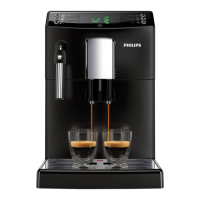
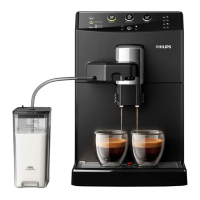
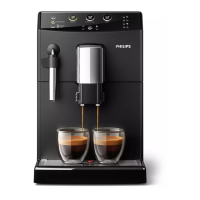
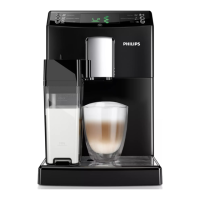
Philips HD8834 - User Manual

Philips HD8834
88 pages
Print Icon
To Next Page IconTo Next Page
Loading...
English
Register your product and get support at
www.philips.com/welcome
USER MANUAL
Read carefully before using the machine.
Super automatic espresso co ee machine
3100 series
EN
02
02
HD8828
HD8834

Table of Contents

Questions and Answers

  • M
    Michael RobinsonSep 10, 2025
    Why is my Philips HD8834 not dispensing hot water?
    • S
      Sarah StewartSep 10, 2025
      If the Philips Coffee Maker is not dispensing hot water, the circuit may not be primed or the machine circuit may be clogged by limescale. Prime the circuit or descale the machine to resolve this.
  • R
    Robert JarvisAug 22, 2025
    What to do if the red icon is always on my Philips HD8834?
    • R
      Rebecca HillAug 22, 2025
      If the red icon is always displayed on your Philips Coffee Maker, it might be because the coffee grounds drawer was emptied while the machine was off or you didn't wait long enough before reinserting it. Always empty the coffee grounds drawer when the machine is on and wait for the icon to appear before putting the drawer back in.
  • C
    Cheryl BarberAug 25, 2025
    Why is my Philips HD8834 brewing coffee slowly?
    • U
      uestradaAug 25, 2025
      If coffee is not brewing, brews slowly, or only a few drops come out of your Philips Coffee Maker, it could be due to several reasons. The coffee grind might be too fine, the circuit may not be primed, the brew group or dispensing spout could be dirty, or the machine circuit might be clogged with limescale. To resolve this, you can change the coffee blend or adjust the grind, prime the circuit, clean the brew group, clean the dispensing spout and its holes, or descale the machine.
  • D
    donna14Aug 26, 2025
    How to fix coffee leaking from the dispensing spout of my Philips HD8834?
    • X
      xhallAug 27, 2025
      If your Philips Coffee Maker is dispensing coffee that leaks out of the spout, it is likely that the dispensing spout is clogged. Clean the dispensing spout and its holes to resolve this issue.
  • G
    ggloverAug 27, 2025
    How to make coffee hotter in my Philips HD8834?
    • J
      Jacob CarrAug 27, 2025
      If the coffee from your Philips Coffee Maker is not hot enough, preheat the cups with hot water. Additionally, ensure that the temperature setting is correctly adjusted.
  • L
    lauraellisAug 29, 2025
    What to do if the descaling cycle cannot be completed on Philips Coffee Maker?
    • J
      jacqueline78Aug 29, 2025
      If the descaling cycle of your Philips Coffee Maker cannot be completed, and the water dispensed for the rinse cycle is insufficient, press the on/off button and follow the instructions.
  • C
    criveraSep 18, 2025
    How to improve crema on Philips HD8834?
    • A
      Arthur SweeneySep 18, 2025
      If the coffee from your Philips Coffee Maker does not have enough crema, you may need to change the coffee blend, ensure the coffee is freshly roasted, or adjust the grind setting.
  • G
    gbondSep 12, 2025
    What does error code 1 mean on Philips HD8834?
    • J
      johnsonrobertSep 12, 2025
      If your Philips Coffee Maker displays Error Code 1 because the coffee grinder is blocked, thoroughly clean the coffee outlet duct.
  • C
    Casey ReeseSep 8, 2025
    How to turn off demo mode on Philips HD8834?
    • M
      Matthew BrownSep 8, 2025
      If your Philips Coffee Maker is in demo mode, turn the machine off and then back on using the power button.
  • B
    Bruce CalhounSep 5, 2025
    What does Error Code 3-4 mean on Philips HD8834 Coffee Maker?
    • C
      Candace JohnsonSep 5, 2025
      If your Philips Coffee Maker displays Error Code 3-4 and the brew group is blocked, close the service door, turn the machine off and then back on. This will automatically return the brew group to its initial position.

Summary

Important Safeguards

Caution

Important Safety Information

Safety Instructions

General safety instructions for machine operation and use.

Warnings

Important warnings to prevent severe injuries or damage to the machine.

Cautions

Precautions for safe and proper use of the coffee machine.

Installation Guide

Preparing for Use

Machine Installation

Step-by-step guide for setting up the coffee machine.

Using the Machine for the First Time

Circuit Priming

Process to prepare the machine's internal circuits for operation.

Automatic Rinse;Self-Cleaning Cycle

Automatic rinsing of internal circuits after warm-up.

Manual Rinse Cycle

Procedure for rinsing the coffee brewing and water circuits.

Adjustments

Brewing Espresso and Long Espresso

Brewing Espresso or Long Espresso Using Coffee Beans

Steps for brewing espresso using whole coffee beans.

Brewing Espresso or Long Espresso Using Pre-Ground Coffee

Instructions for brewing espresso using pre-ground coffee.

Milk Carafe Operations

Brewing a Cappuccino

Frothing Milk

Cleaning and Maintenance

Daily Cleaning Procedures

Routine tasks for cleaning the machine, water tank, and milk carafe daily.

Descaling Process

Descaling Phase

The main procedure for descaling the machine.

Meaning of Display Icons

Troubleshooting Common Issues

Common Error Codes

Solutions for specific error codes like grinder block, brew group issues, and water circuit errors.

Brewing and Dispensing Problems

Addressing issues with slow brewing, leaks, no hot water, milk frothing, and descaling completion.

Warranty and Service Information

Ordering Maintenance Products

Philips HD8834 Specifications

General IconGeneral
BrandPhilips
ModelHD8834
CategoryCoffee Maker
LanguageEnglish

Related product manuals