21
ENGLISH
21
YellowYellow Yellow YellowYellow
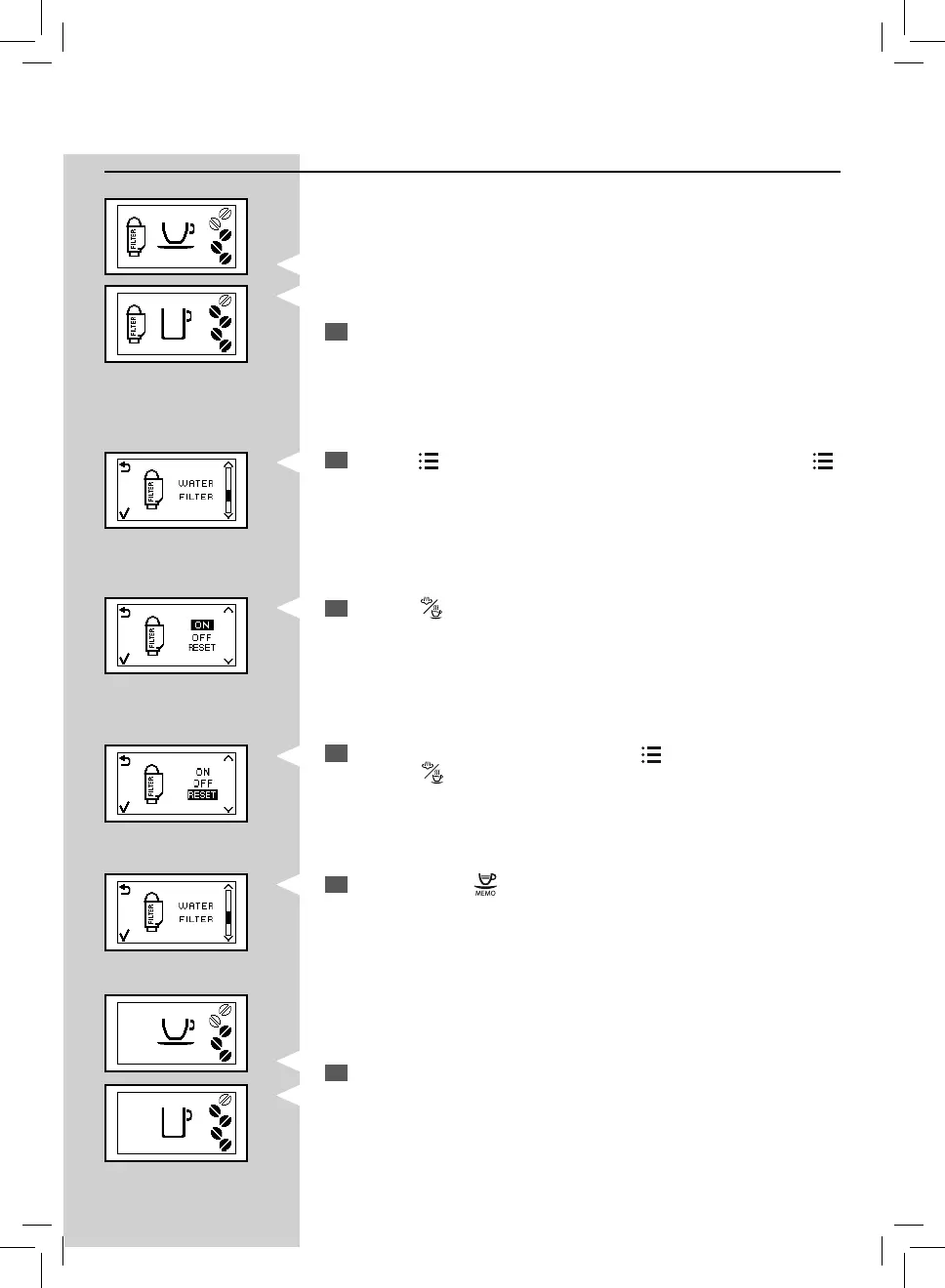
Replacing the “INTENZA+” Water Filter
2
Press the “ ” button and scroll through the options by pressing the “ ”
button until this icon is displayed.
3
Press the “ ” button to access the function.
Yellow
4
Select the “RESET” option by pressing the “ ” button.
Press the "
" button to con rm.
5
To exit, press the “ ” button.
6
The machine shows this display and is ready to brew.
The machine is now programmed to manage a new “INTENZA+” water
lter.
GreenGreen
When the “INTENZA+” water lter needs to be replaced with a new one,
this icon is displayed.
1
Replace the “INTENZA+” water lter as described in the previous chap-
ter.


 To Next Page