12
ENGLISH
12
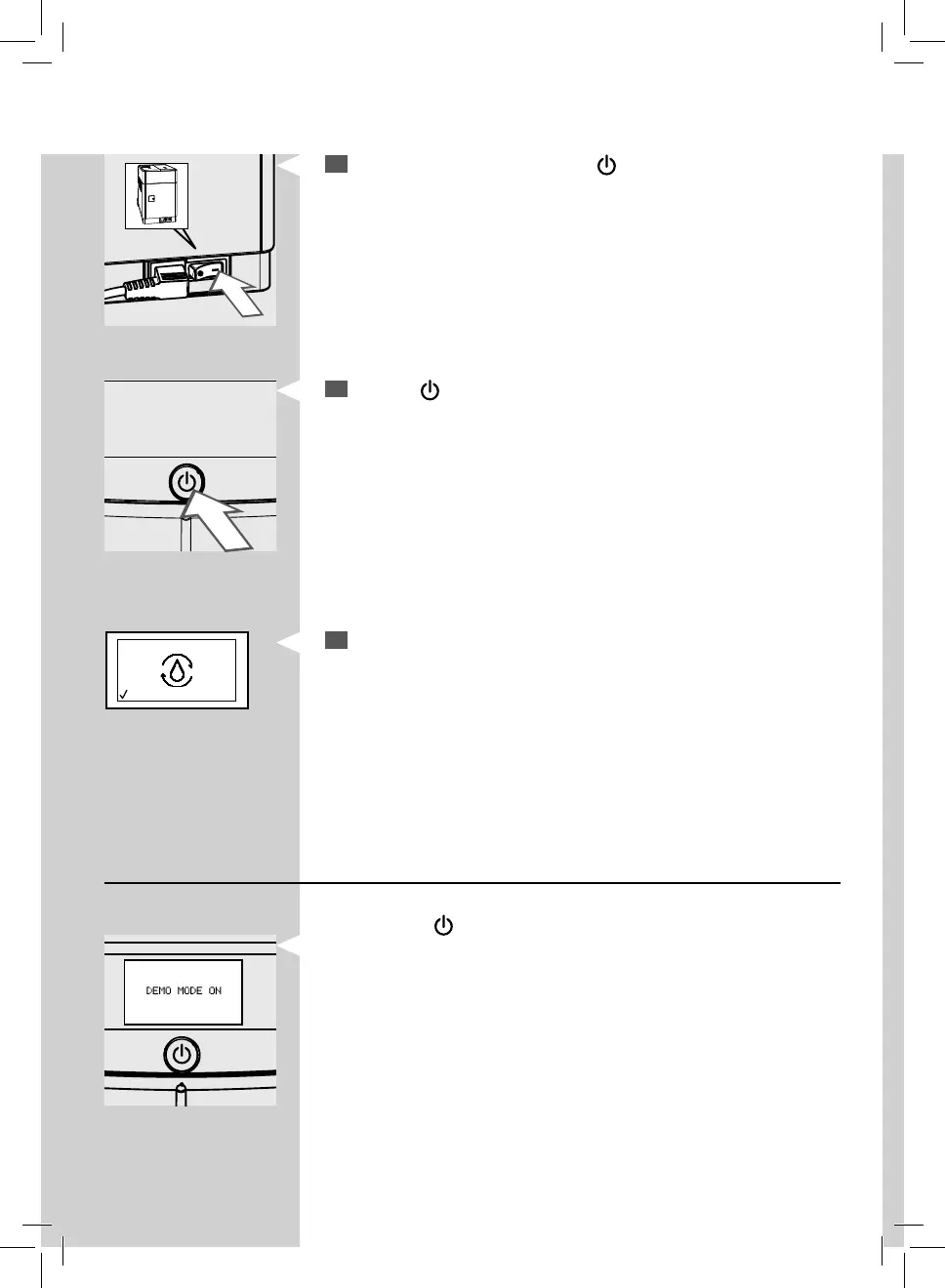
Switch the power button to "I". The “ ” button ashes.
13
Press the “ ” button to turn on the machine.
Yellow
14
The control panel indicates that the circuit must be primed.
Demo mode function
The machine is provided with a demo program.
By keeping the “
” button pressed for more than 8 seconds, the machine
enters the demo program. Turn the machine o and on again using the
power button to exit the function.


 To Next Page