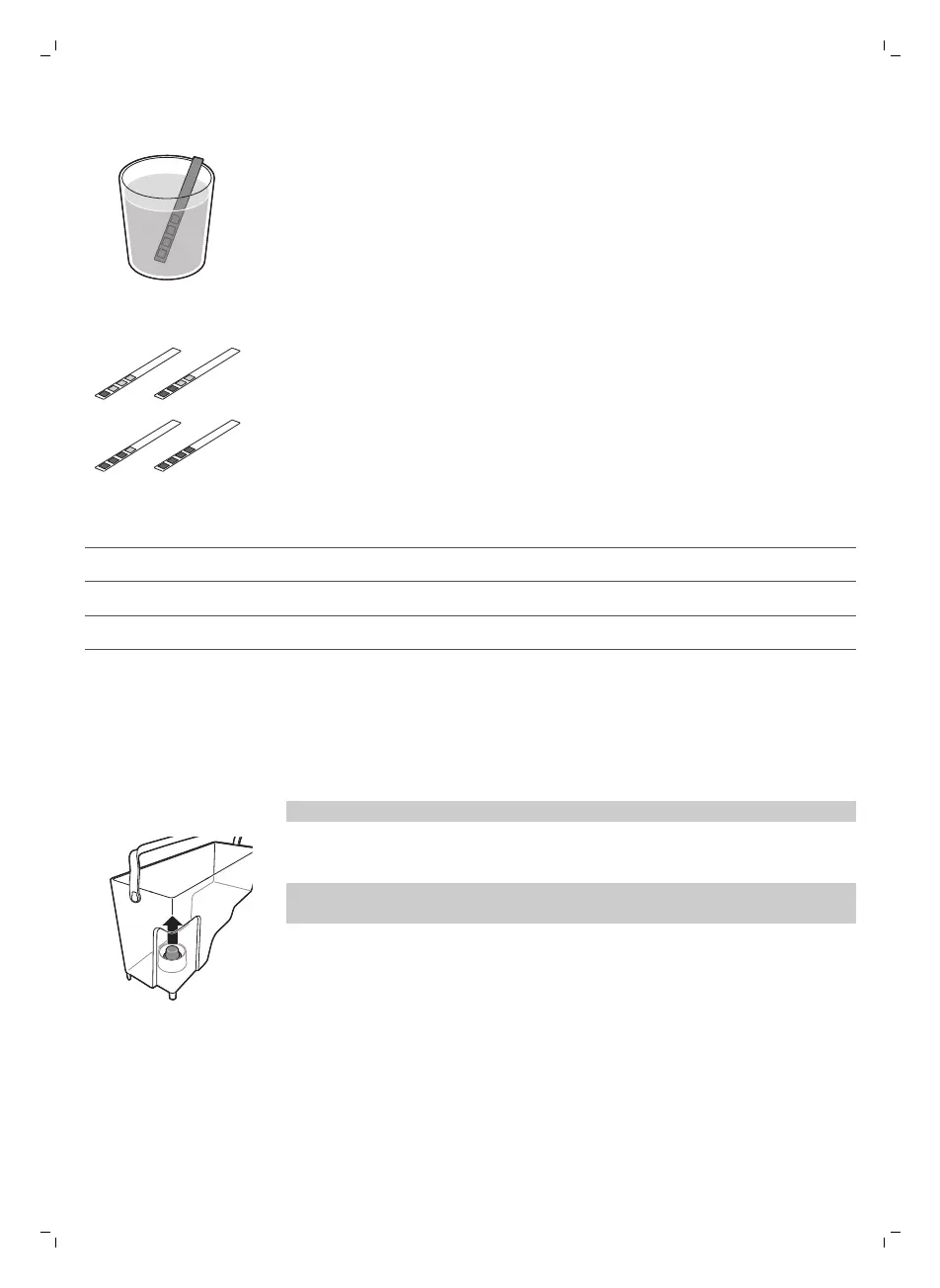
1 Immerse the water hardness test strip (supplied with the machine) in
fresh water for 1 second.
2 Remove the water hardness strip and and wait for 1 minute.
3 Check how many squares have changed into the red color and check the
water hardness in below table.
numbers of red squares
value to be set water hardness
1/2 A very soft water/ soft water
3 B hard water
4 C very hard water
Installing the Intenza+ water filter
We advise you to install the Intenza+ water filter as this prevents scale
build-up in your machine. You can buy the Intenza+ water filter separately.
For more details, see chapter ‘Guarantee and support’, section ‘Ordering
maintenance products’.
Note: Replace the INTENZA+ filter after 2 months.
1 Remove the small white filter from the water tank and store it in a dry
place.
Note: Please keep the small white filter for future use. You will need it for
the descaling process.
12
English


 To Next Page