16
ENGLISH
8
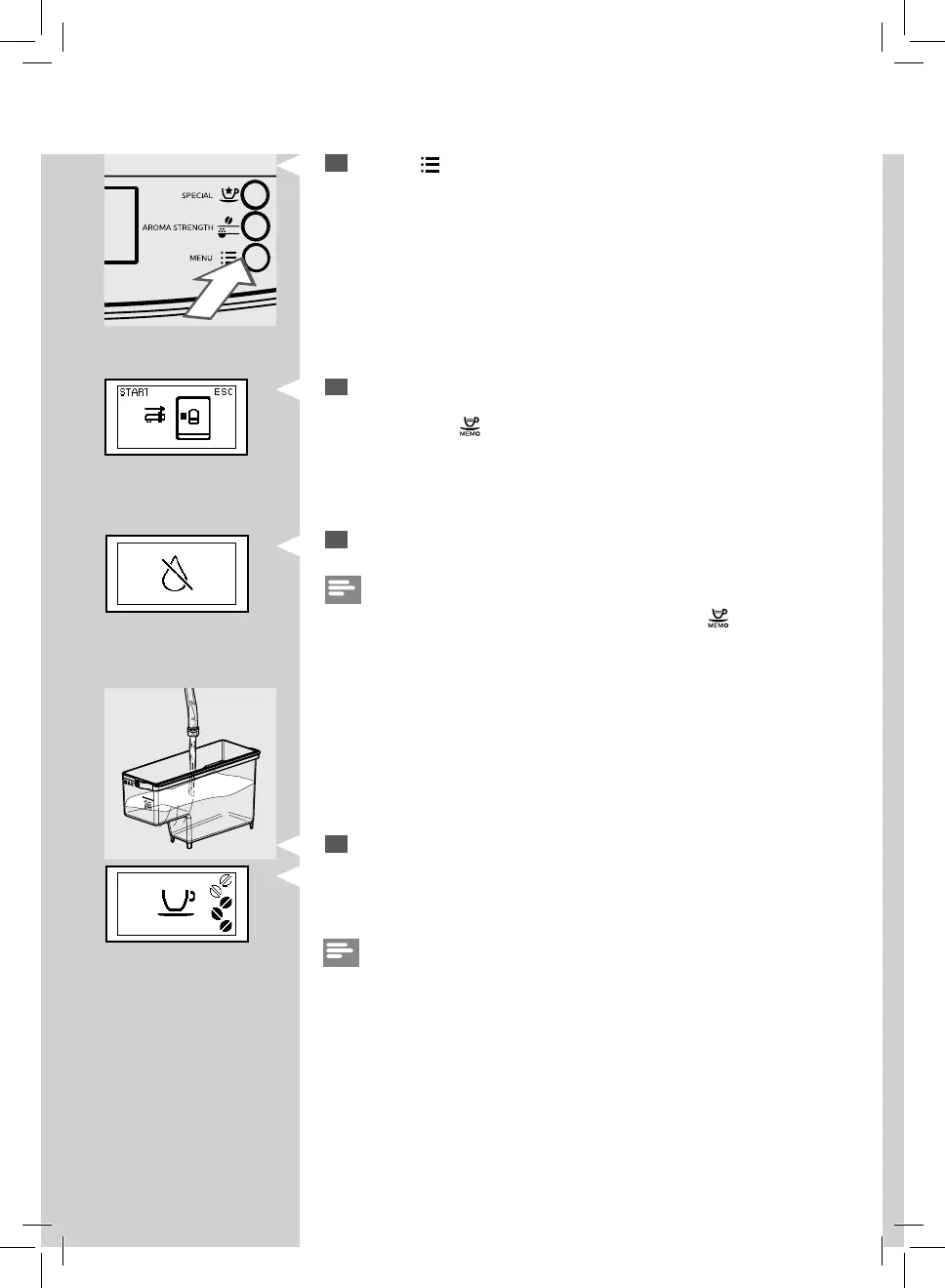
Press the “ ” button to start dispensing hot water.
9
This icon is displayed. The machine reminds you to install the water
dispensing spout. Check that the water dispensing spout is correctly
installed. Press “
” to con rm. The machine will start dispensing hot
water.
Green
Red
10
Dispense water until the no water icon appears.
Note:
The manual rinse cycle can be stopped by pressing the “
” button.
Green
11
At the end of this operation, ll the water tank again up to the MAX
level. Now the machine is ready to brew co ee.
The display on the left will be shown.
Note:
The automatic rinse/self-cleaning cycle starts when the
machine has been in stand-by mode, or turned o , for more than 15
minutes.
When you have not used the machine for 2 or more weeks,
you will also need to perform a manual rinse cycle.
At the end of the cycle, you can brew a co ee.








 To Next Page