EasyManua.ls Logo

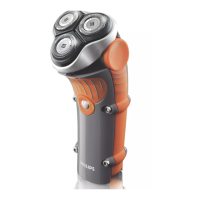
Philips HD9880/92 - User Manual

Philips HD9880/92
29 pages
Print Icon
To Next Page IconTo Next Page
Loading...
User manual
HD9880

Questions and Answers

  • G
    greenthomasSep 23, 2025
    How to fix distorted sound or echo on Philips Speaker System?
    • D
      Debra ShawSep 23, 2025
      If you are experiencing distorted sound or an echo with your Philips Speaker System, and you are playing audio from your TV through the system, make sure that the TV is muted.
  • R
    Richard SmithSep 23, 2025
    What to do if I can’t find the Bluetooth name of Philips Speaker System on my Bluetooth device?
    • M
      Mark KleinSep 23, 2025
      If you can't find the Bluetooth name of your Philips Speaker System on your Bluetooth device: * Ensure that the Bluetooth function is activated on your Bluetooth device. * Try re-pairing the unit with your Bluetooth device.
  • K
    kristenscottSep 23, 2025
    Why does my Philips soundbar keep turning off?
    • M
      Mark GonzalezSep 23, 2025
      If your Philips soundbar turns off, it might be because the external input signal level is too low. Increase the volume level of your external device.
  • J
    Jennifer MurphyAug 27, 2025
    How to fix a Philips Speaker System when a device cannot connect with the soundbar?
    • C
      Courtney TorresAug 27, 2025
      If a device cannot connect to your Philips Speaker System soundbar, it might be due to the device not supporting the soundbar, the Bluetooth function not being enabled on the device, incorrect connection, or the soundbar already being connected to another Bluetooth device.
  • M
    Matthew HowellAug 31, 2025
    How to troubleshoot a Philips Pasta Maker that sounds but doesn't work?
    • C
      Chad FarmerAug 31, 2025
      If your Philips Pasta Maker isn't working even though you hear sounds after pressing the On/Off button, it's likely that the mixing chamber, shaping disc, or front panel isn't assembled correctly. Refer to the user manual to ensure all parts are assembled correctly.
  • B
    Brian JohnsonAug 31, 2025
    Why does my Philips Pasta Maker stop without alarm?
    • B
      Bryan BrownAug 31, 2025
      If your Philips Pasta Maker stops during processing without any alarm sounds or flashes, it may have overheated from continuous use. Disconnect it from the power source and allow it to cool down for at least 15 minutes before restarting. To protect the appliance, avoid continuous use for more than 45 minutes.
  • M
    Matthew WebbAug 30, 2025
    What to do if Philips Pasta Maker stops when lid is opened?
    • S
      Sharon HarperAug 30, 2025
      If your Philips Pasta Maker stops working when you open the lid during processing, close the lid properly and press the Start/pause button to resume the previous operation.
  • J
    jamesanthonyAug 30, 2025
    How to fix E1 error on Philips Pasta Maker?
    • G
      griffinbrandiAug 30, 2025
      If your Philips Pasta Maker displays 'E1' on the screen, it means that either the shaping disc is not attached correctly, or the lid is not properly in place. Make sure to attach the disc holder to the main unit and properly fix the shaping disc and the front panel. Also, ensure the lid is attached properly.
  • T
    tharrisAug 29, 2025
    What to do if my Philips Pasta Maker stops with error E2?
    • S
      stephaniejohnsonAug 29, 2025
      If your Philips Pasta Maker stops during processing and displays 'E2' with flashing indicators and an alarm, it could be due to a few reasons. First, the mixing paddle might be blocked by foreign objects; disconnect the appliance, clean it, and restart following the user manual. Alternatively, the dough might be too dry, or the wrong program might have been selected.
  • S
    Sherry Harris DVMAug 29, 2025
    What to do if the alarm does not work on my Philips Clock Radio?
    • S
      Sarah WoodAug 29, 2025
      If the alarm on your Philips Clock Radio isn't working, make sure that you have set the clock and alarm correctly.

Philips HD9880/92 Specifications

General IconGeneral
TypeElectric Shaver
ModelHD9880/92
Series9000 Series
Shaving SystemRotary
Power SourceRechargeable battery
Battery TypeLithium-ion
Battery Life60 minutes
Charging Time1 hour
Quick Charge5 minutes for 1 shave
Wet and Dry UseYes
Travel LockYes
DisplayDigital
AccessoriesCleaning brush

Related product manuals